License Server administration
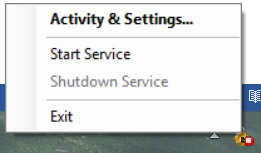
This section describes license server administration. To open the AssureID License Server window, right-click the padlock icon. If the icon is not visible, click the ^ to display the system tray and click Activity & Settings:

Activity tab
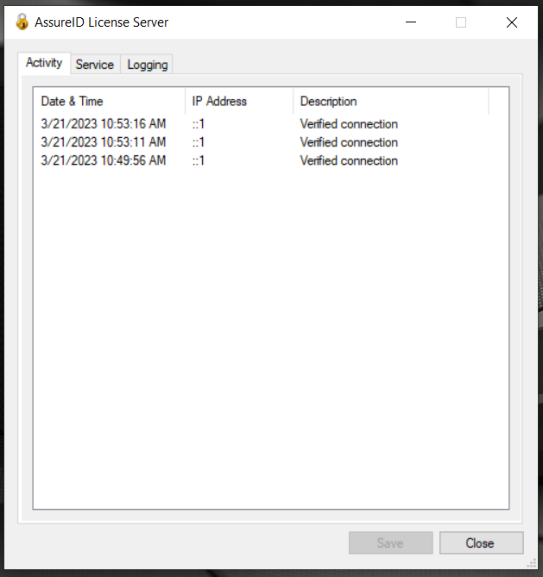
Section titled “Activity tab”The Activity tab displays license activation activity for all computers that are configured to use the AssureID License Server.
Service tab
Section titled “Service tab”The Service tab provides configuration and control of the AssureID License Service. The HTTP/HTTPS port used by the AssureID License server is configurable. The default is 1955 (HTTP) or 443 (HTTPS), but it can be changed to suit your network requirements.
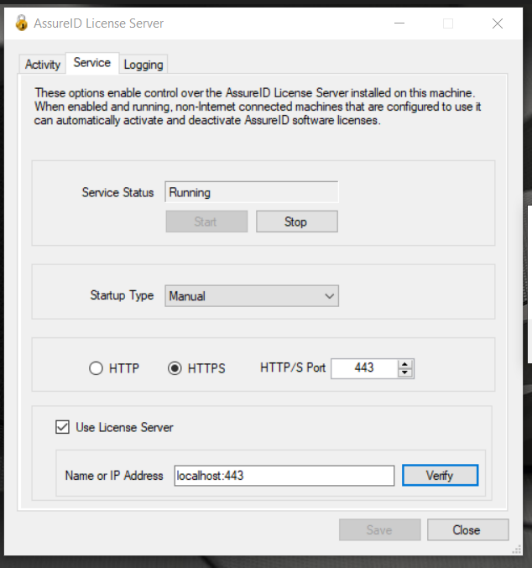
If the HTTP port is changed on the AssureID License Server, all AssureID Sentinel clients must specify the port when entering the License Server address.
Note: Make sure that any software or network firewalls are configured to allow incoming traffic to the AssureID License Server on a configured HTTP/HTTPS port.
If you are chaining together multiple License Server instances, you can configure this License Server to communicate to its upstream neighbor by selecting the Use License Server checkbox and indicating the hostname or IP address (and optional port) of the upstream License Server.
Use the following format for this setting:
<hostname-or-ipaddress>[:optionalport]
If you omit the optional port, the default port 1955 for unsecured (HTTP) or the default port 443 for secured (HTTPS) will be used.
Logging tab
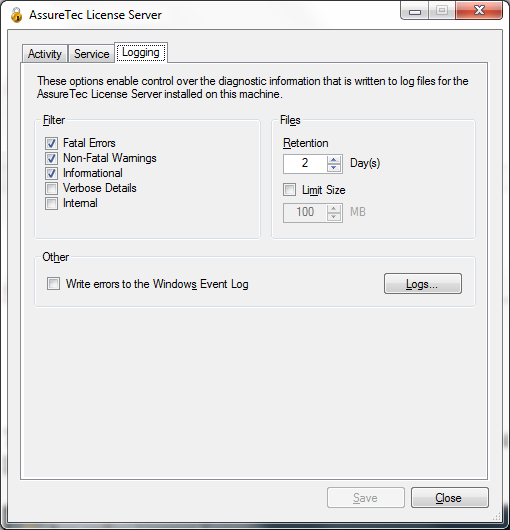
Section titled “Logging tab”The Logging tab provides control over the log files created by the AssureID License Server.