

Install updates
You can check for updates to the AssureID Sentinel at any time from the System Tray.
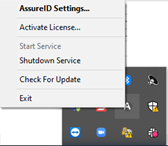
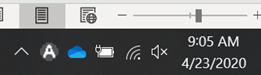
Right-click the icon and click Check For Update:

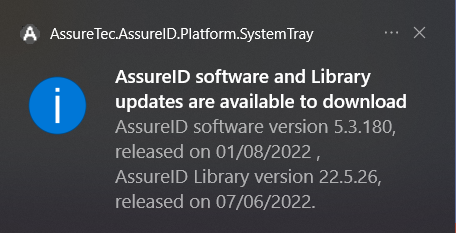
GBG provides a notification message whenever an AssureID Sentinel software version (and AssureID Library version) is available:
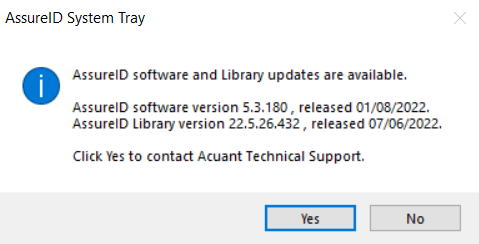
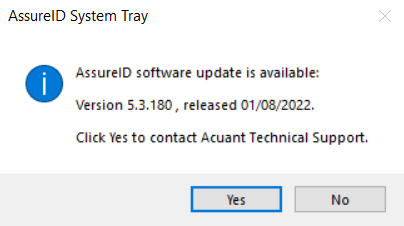
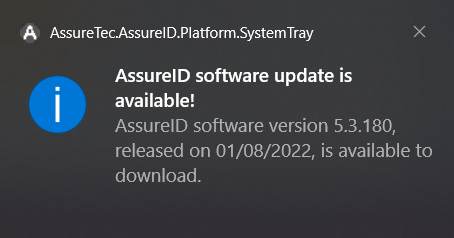
The update process is similar to the Installing AssureID Sentinel process. It is not necessary to uninstall the existing software before you update. There are currently three options available for updating existing installations of AssureID Sentinel:
| File name | Installation type | Folder location |
|---|---|---|
| AssureID_Sentinel_Install.exe | EXE installer) | Exe folder |
| AssureID_Sentinel_Install.msi | MSI installer | MSI folder |
| AssureID_[version]_Patch.msp | MSP patch file installer | Support website |
All three upgrade options offer the ability to perform remote and silent installations. The MSP patch file installer uses the same commands as the MSI package.
Note: It is important to read the AssureID Release Notes for updates and other AssureID releases because they list the minimum version of AssureID required to update.
EXE installer
Section titled “EXE installer”The EXE installer is recommended when upgrading from an older AssureID installation to a current release (for example, upgrading from V4.3 to V4.4). The EXE package contains all necessary prerequisites such as .NET framework and various runtime components that AssureID depends on and installs these items if needed.
MSI installer
Section titled “MSI installer”The MSI installer is recommended only when necessary, such as an enterprise software deployment tool or when the install will be incorporated into a larger installation package. The MSI installer does not contain any required prerequisites; however, it checks for their presence on the targeted workstation and ends the installation if the prerequisites have not been met.
MSP patch installer
Section titled “MSP patch installer”As an alternative to the MSI installer, you can use the EXE update package when moving from a recent release to a current release; for example, patching from V4.4.xxxx to V4.4.yyyy. However, the EXE update package does not check for prerequisites, but checks to ensure that it can be applied to an existing version of AssureID.