AssureID Sentinel REST API
Overview
Section titled “Overview”The AssureID Sentinel REST API is the web interface to the AssureID Document Authentication Protocol (DAP) service. You can optionally install the GBG-supplied React client application, or use the REST API to implement your own web application. You can access the AssureID Sentinel REST API using Swagger.
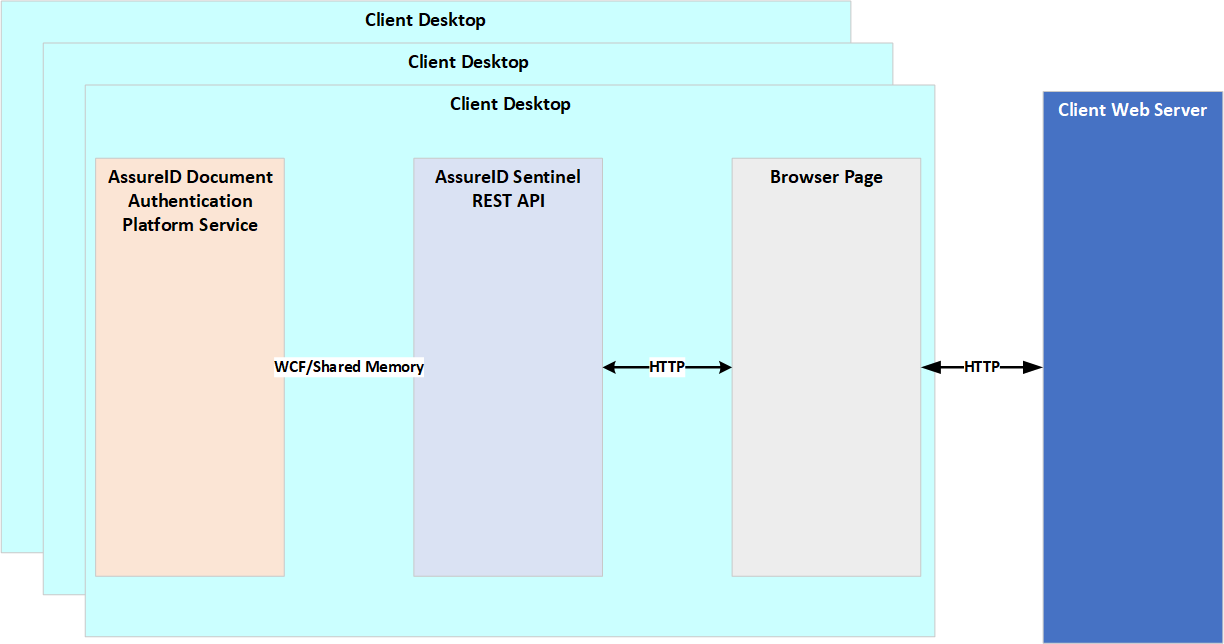
The AssureID Sentinel REST API service is included as part of the AssureID Sentinel installation. The AssureID Sentinel REST API supports Google Chrome, Mozilla Firefox, and Microsoft Edge.
The AssureID Sentinel REST API service requires two TCP ports that are open for inbound communication. The service is initially configured to use port 10300 for HTTP communication and port 10301 for WebSocket communication; however, you can change the default ports by editing the configuration file located in: C:\ProgramData\AssureTec\Settings\SentinelWebService.config.
Note: Make sure that the firewall does not block communication.
Overview
Section titled “Overview”The AssureID Sentinel REST API is the web interface to the AssureID Document Authentication Protocol (DAP) service. The API supports the main functionality of the DAP Service SDK. The supported API is listed in the Swagger application. The installation includes a demo application that uses the AssureID Sentinel REST API to help you learn how to work with the AssureID Sentinel REST API.
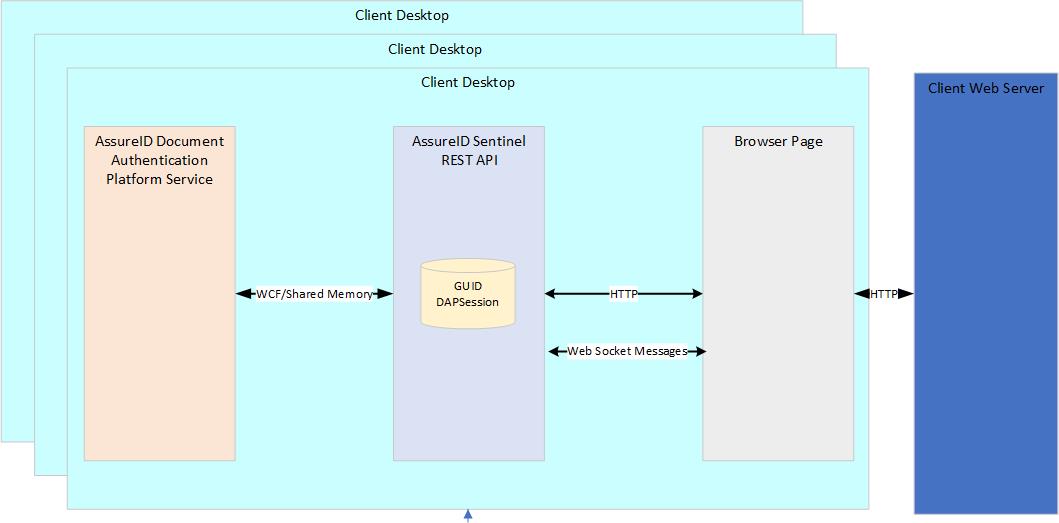
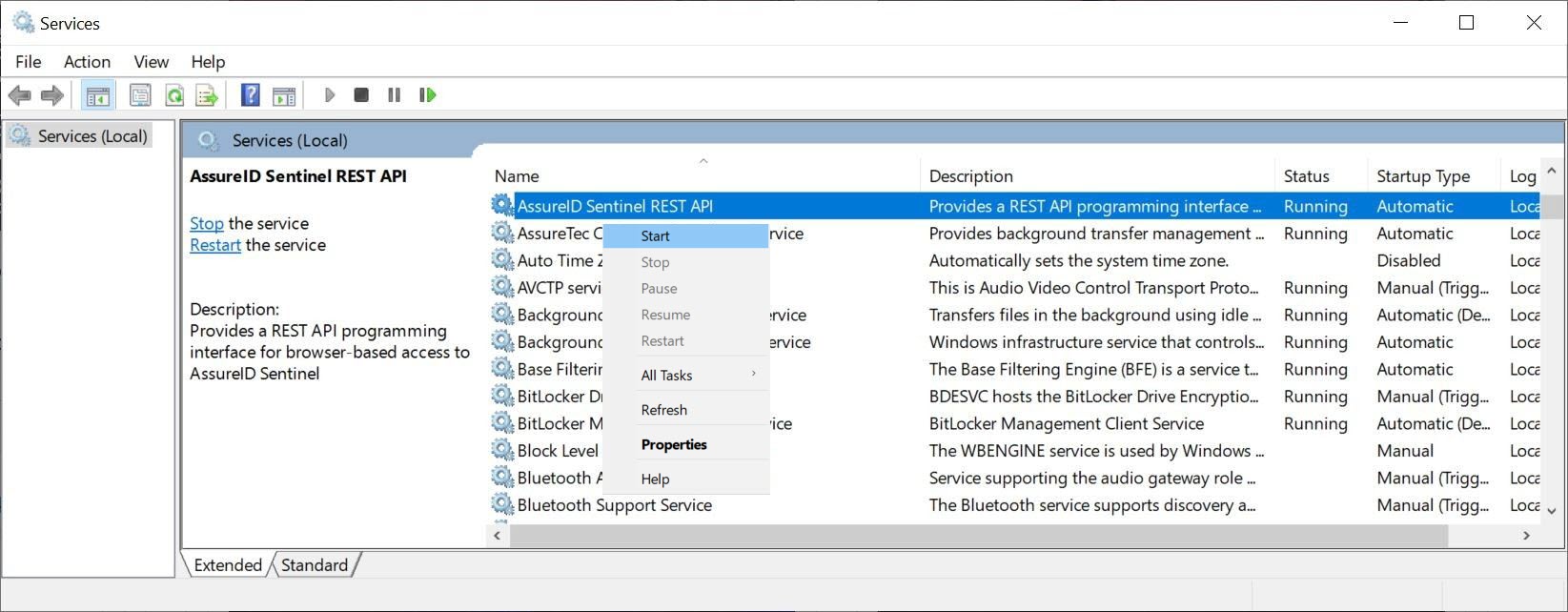
The AssureID Sentinel REST API is a windows service that is installed as part of the AssureID Sentinel installation (as of version 5.2.124). The service is installed by default in manual mode. After the installation is complete, you must start the service from the Services table.
- Start the Windows Services application.
- Right-click AssureID Sentinel REST API, and select Start from the menu to start the service.
You can view the supported functionality using Swagger by entering the following URL: http://localhost:10300/swagger/
The AssureID Sentinel REST API uses two ports for communicating with the browser:
- An HTTP port that receives and responds to HTTP requests.
- A WebSocket port that is used for sending asynchronous messages from the AssureID Sentinel REST API to the browser.
You can configure the ports in the SentinelWebService.config file, which is located in the c:/ProgramData/AssureTec/Settings folder.
Note: Make sure that those ports are open and not blocked by the firewall.
Swagger documentation
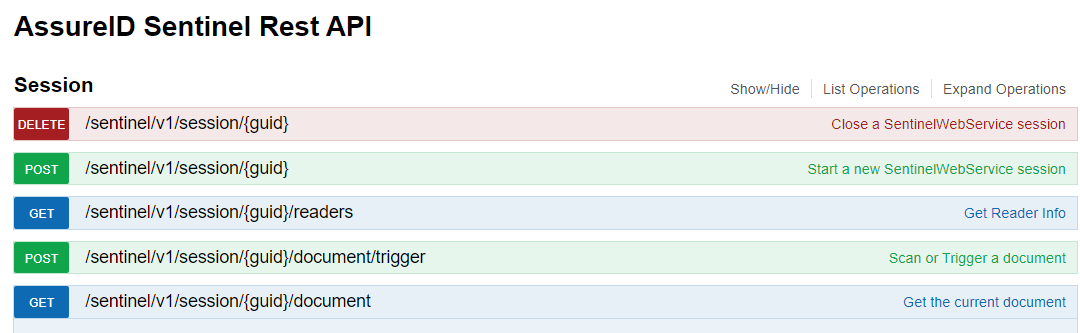
Section titled “Swagger documentation”The online documentation for the AssureID Sentinel REST API is provided in Swagger: http://localhost:10300/swagger/
Note: You must have the AssureID Sentinel REST API installed before you can access Swagger.