

Logs, deleting documents and sample files
Viewing logs
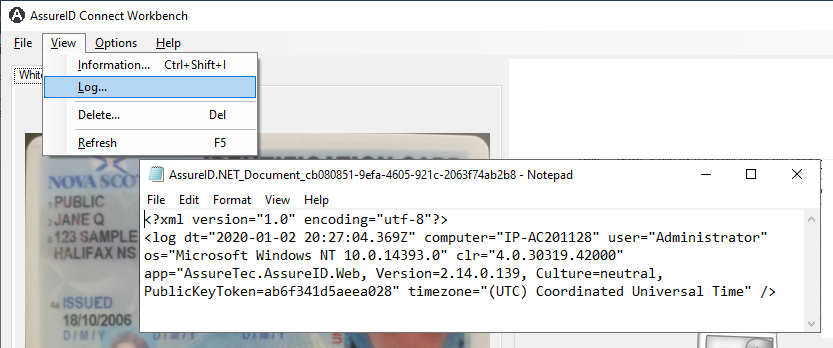
Section titled “Viewing logs”Click View > Log to open a text editor and view the log file:
Deleting a document
Section titled “Deleting a document”Click View > Delete to delete the current document.
Sample files location
Section titled “Sample files location”Sample files that are installed with the software in:
C:\Program Files (x86)\Acuant\Connect\Samples
Help menu
Section titled “Help menu”- Click Help > About to display the version of AssureID Connect Workbench.
- Click Help > Ping Service to display the information window, which contains the version numbers of the Web engine and the Document Library, and the current server time and response time.