Document workflows
AssureID Connect document workflows
Section titled “AssureID Connect document workflows”This section describes the AssureID Connect REST API document workflows.
The AssureID Connect API offers the following recommended building blocks.
- Create Document (REQUIRED)
- Add Front (First) Side Image (REQUIRED)
- Add 2D Barcode (OPTIONAL)
- Add Machine Readable Zone (MRZ) (OPTIONAL)
- Classify Document (OPTIONAL)
- Add Back (Second) Side Image (OPTIONAL)
- Classify Document (OPTIONAL)
- Add Chip Data (does not contribute to classification) (OPTIONAL)
- Add Chip Authentication (does not contribute to classification) (OPTIONAL)
- Get Document Result (REQUIRED)
- Get Document Component Results (OPTIONAL)
- Get Photo Image (OPTIONAL)
- Get Signature Image (OPTIONAL)
- Get Machine Readable Zone (MRZ) (if previously posted) (OPTIONAL)
- Get Front White Image (Cropped, rotated, corrected)(OPTIONAL)
- Get Back White Image (Cropped, rotated, corrected) (OPTIONAL)
- Other Fields (OPTIONAL)
- Delete Document (OPTIONAL)
AssureID Serial workflow
Section titled “AssureID Serial workflow”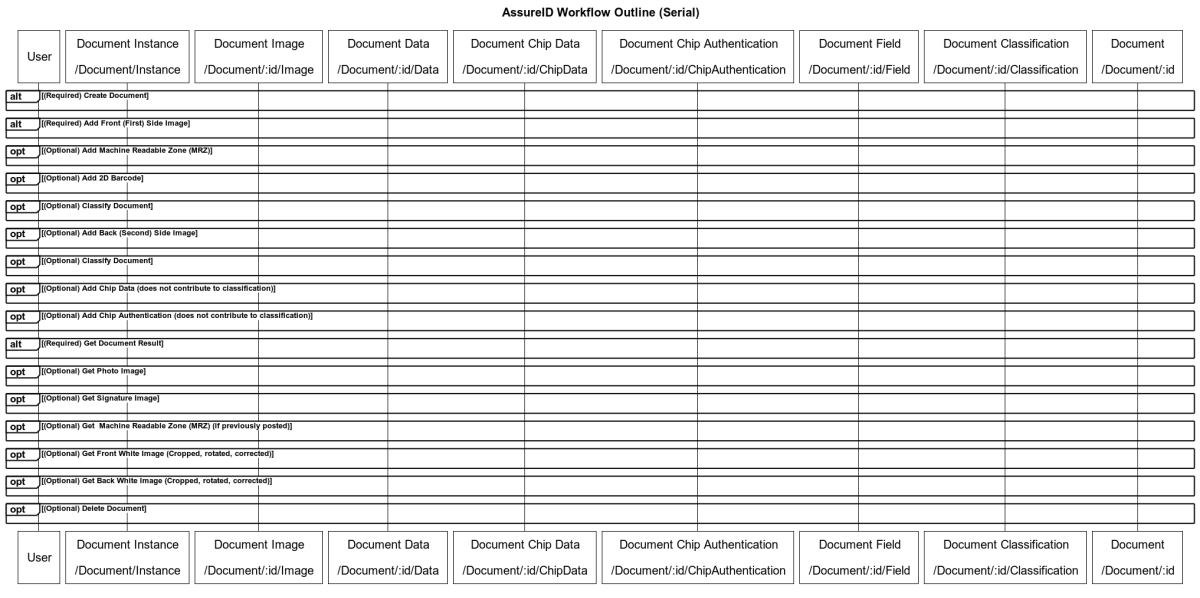
AssureID Parallel workflow
Section titled “AssureID Parallel workflow”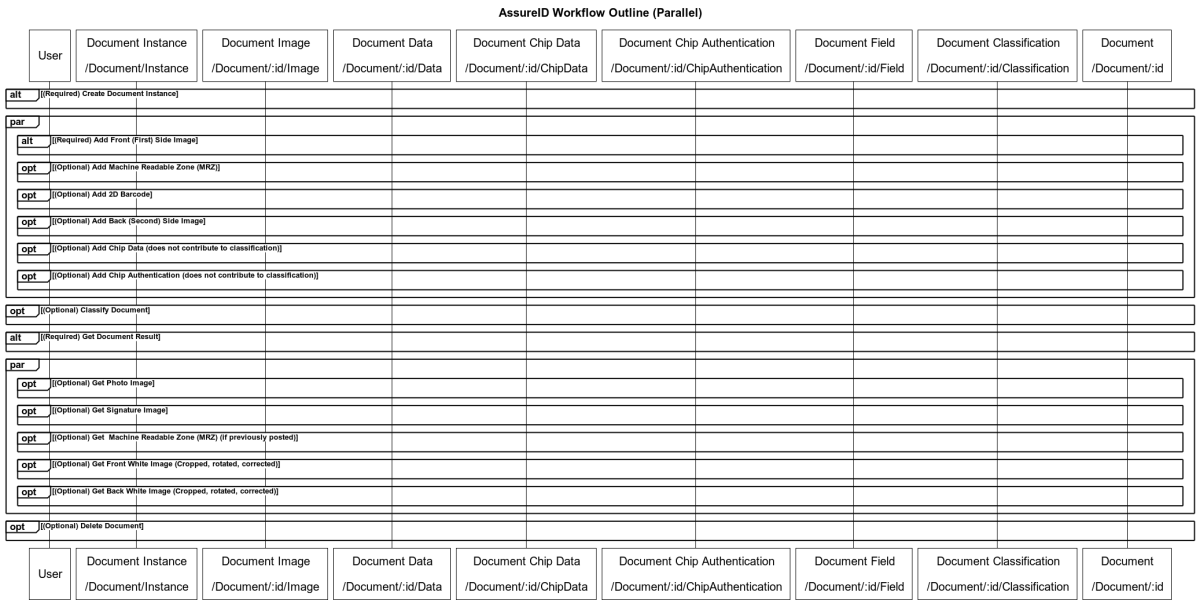
Create Document
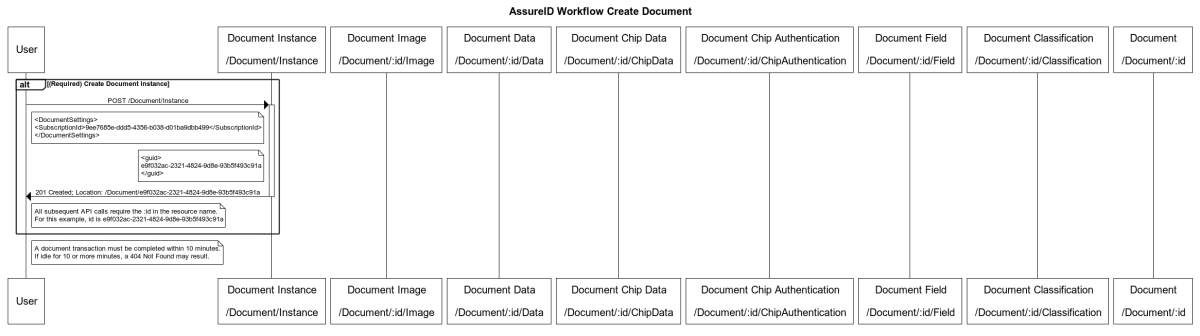
Section titled “Create Document”Create Document must be the first building block in an AssureID Connect transaction, and can’t be run in parallel with any other building block.
Adding information for the initial classification
Section titled “Adding information for the initial classification”Adding the front (first) side image and optionally the Machine Readable Zone (MRZ) may be done in parallel and both should be completed prior to classifying the document.
Add Front image
Section titled “Add Front image”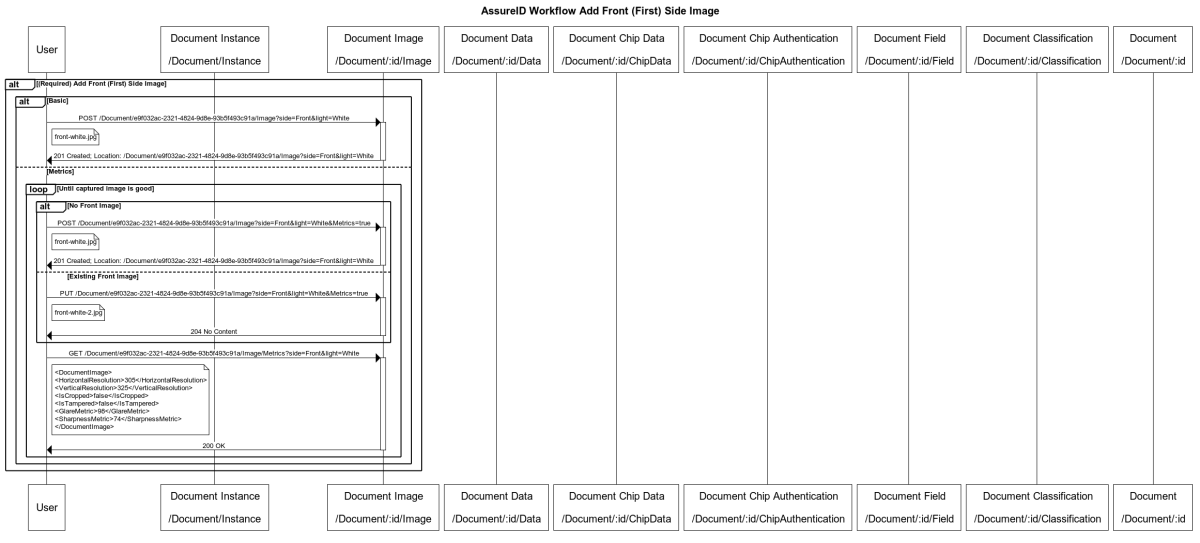
Add Machine Readable Zone (MRZ) (optional)
Section titled “Add Machine Readable Zone (MRZ) (optional)”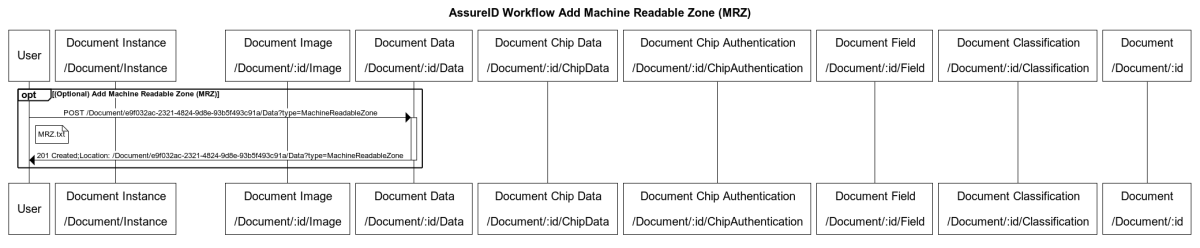
Add 2D Barcode (optional)
Section titled “Add 2D Barcode (optional)”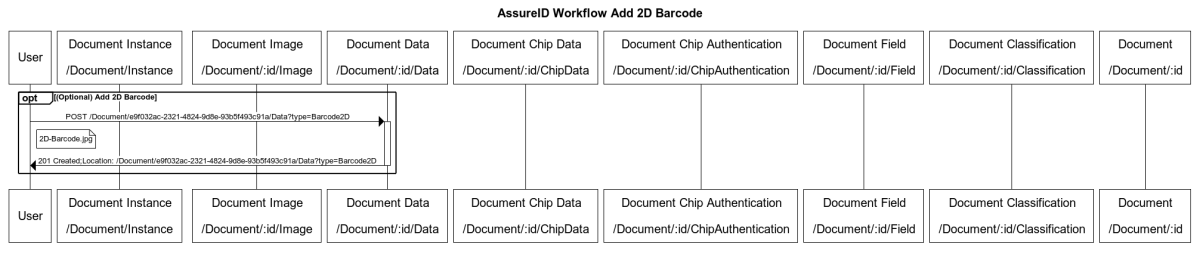
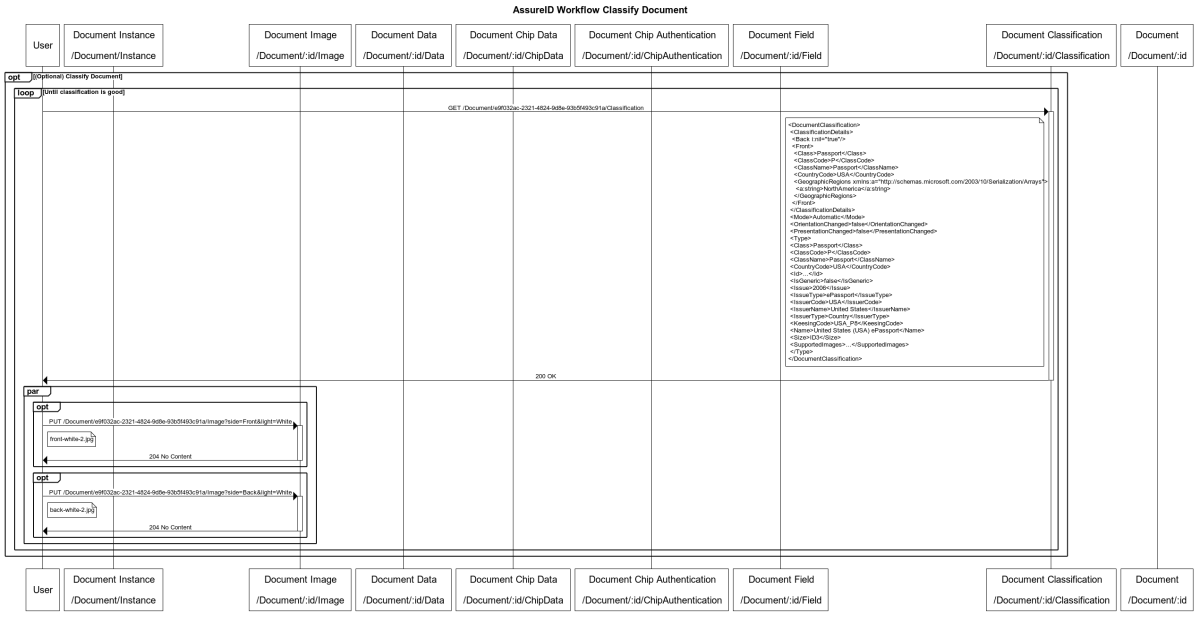
Classify Document (optional)
Section titled “Classify Document (optional)”Classifying the document is an optional step and if performed, must be done after all the information (images, MRZs) are complete.
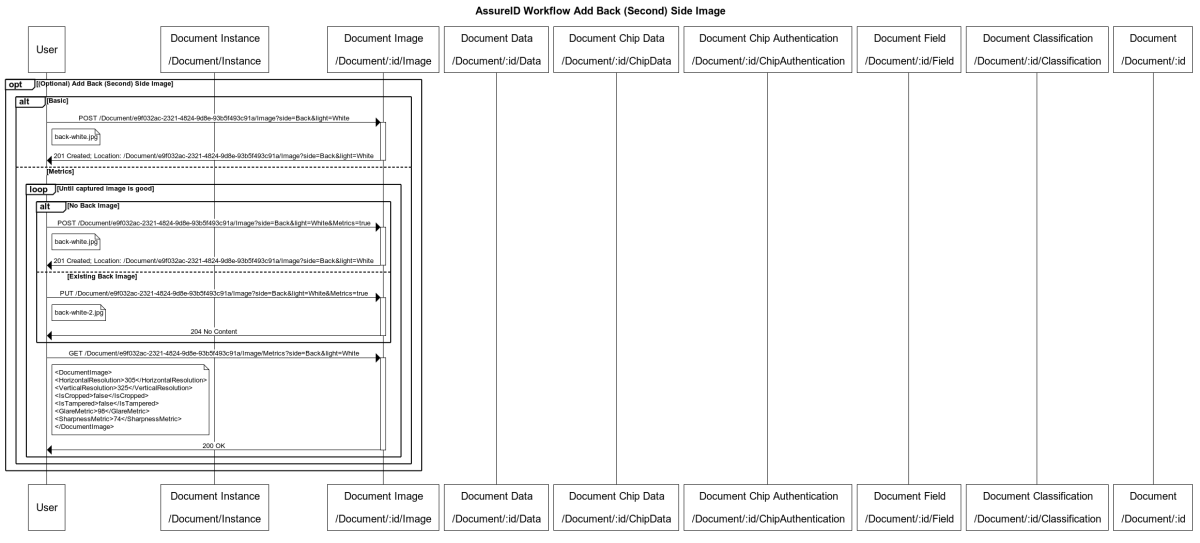
Add Back image (optional)
Section titled “Add Back image (optional)”Adding the back (second) side image is optional, and should be done after classifying. If you skipped the earlier Classify Document step, then this can be done in parallel with adding the front and the MRZ.
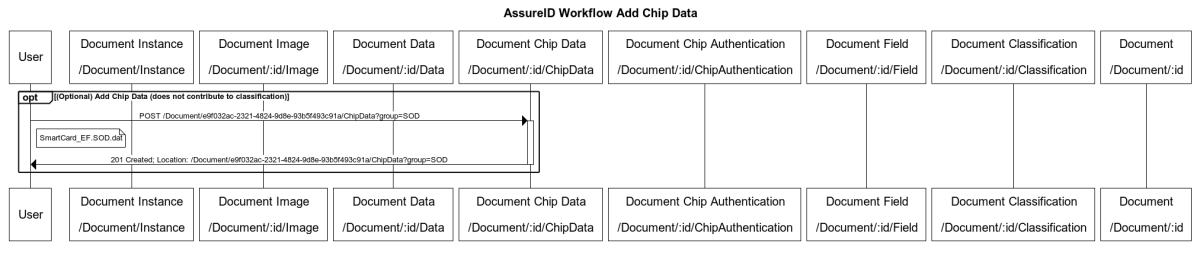
Add Chip data (optional)
Section titled “Add Chip data (optional)”Adding chip information, while not contributing to classification, does contribute to authentication, and may be done in parallel.
Add Chip authentication (optional)
Section titled “Add Chip authentication (optional)”This applies to devices that support chip authentication (validates the device itself).

Get Document result
Section titled “Get Document result”Getting the document result must be done after all of the preceding blocks are complete.
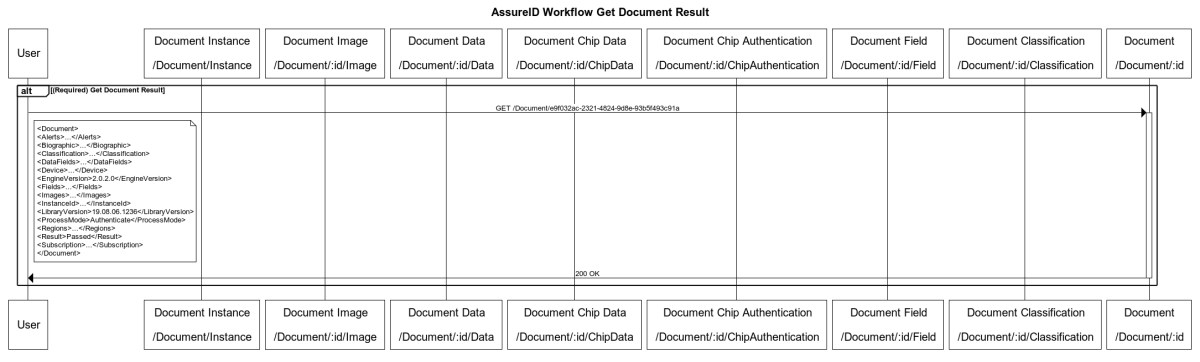
Get Document Component results
Section titled “Get Document Component results”Getting the document component results must be done after getting the document result block is complete, and may be done in parallel.
Get Photo image (optional)
Section titled “Get Photo image (optional)”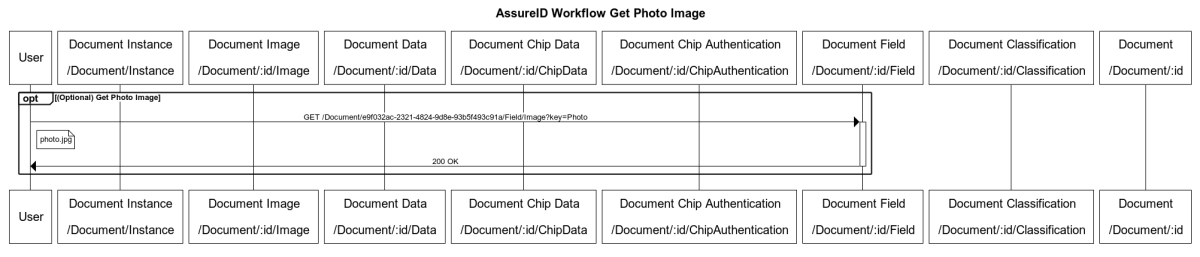
Get Signature image (optional)
Section titled “Get Signature image (optional)”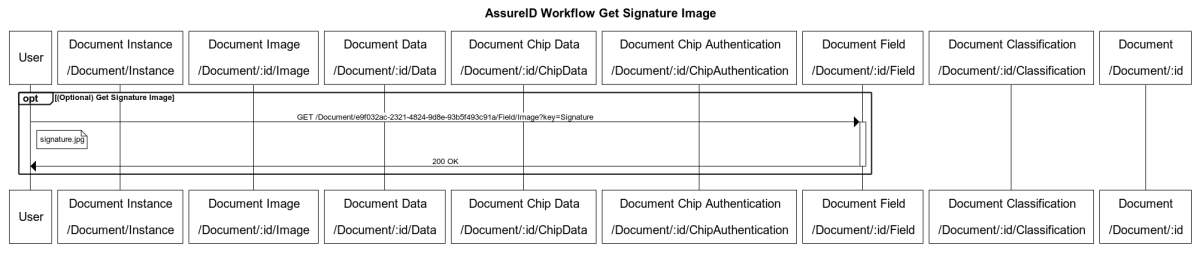
Get Machine Readable Zone (MRZ) (optional)
Section titled “Get Machine Readable Zone (MRZ) (optional)”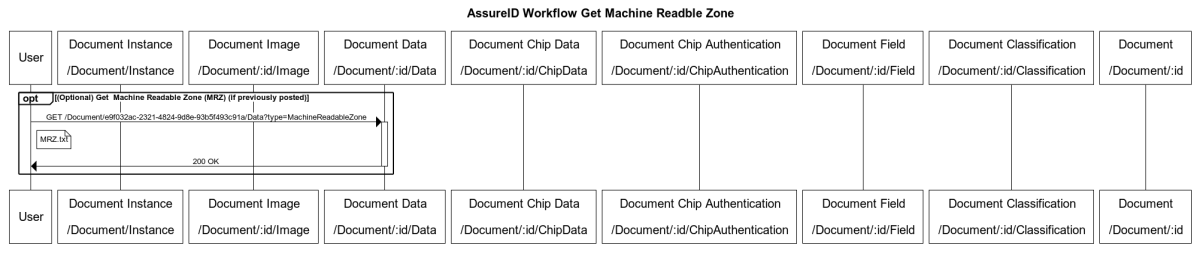
*If previously posted
Get Front White image (optional)
Section titled “Get Front White image (optional)”
*Cropped, rotated, and corrected
Get Back White image (optional)
Section titled “Get Back White image (optional)”*Cropped, rotated, and corrected

Other Fields
Section titled “Other Fields”The AssureID Connect API has several additional field images that can be obtained. These include Fingerprint, VIZ Photo, VIZ Signature, and VIZ Fingerprint. The request format mirrors that of the photo or signature above; only the key changes.
Delete Document
Section titled “Delete Document”Deleting the document must be done after all the preceding blocks are complete. After deletion is completed, all subsequent requests for the document will return 404 - Not Found.
| If StorePII = | then the results, images, and PII are retrievable: |
|---|---|
| true | 90 days or until the document is deleted via this API |
| false | For 60 seconds or until the document is deleted via this API |
AssureID combined workflow
Section titled “AssureID combined workflow”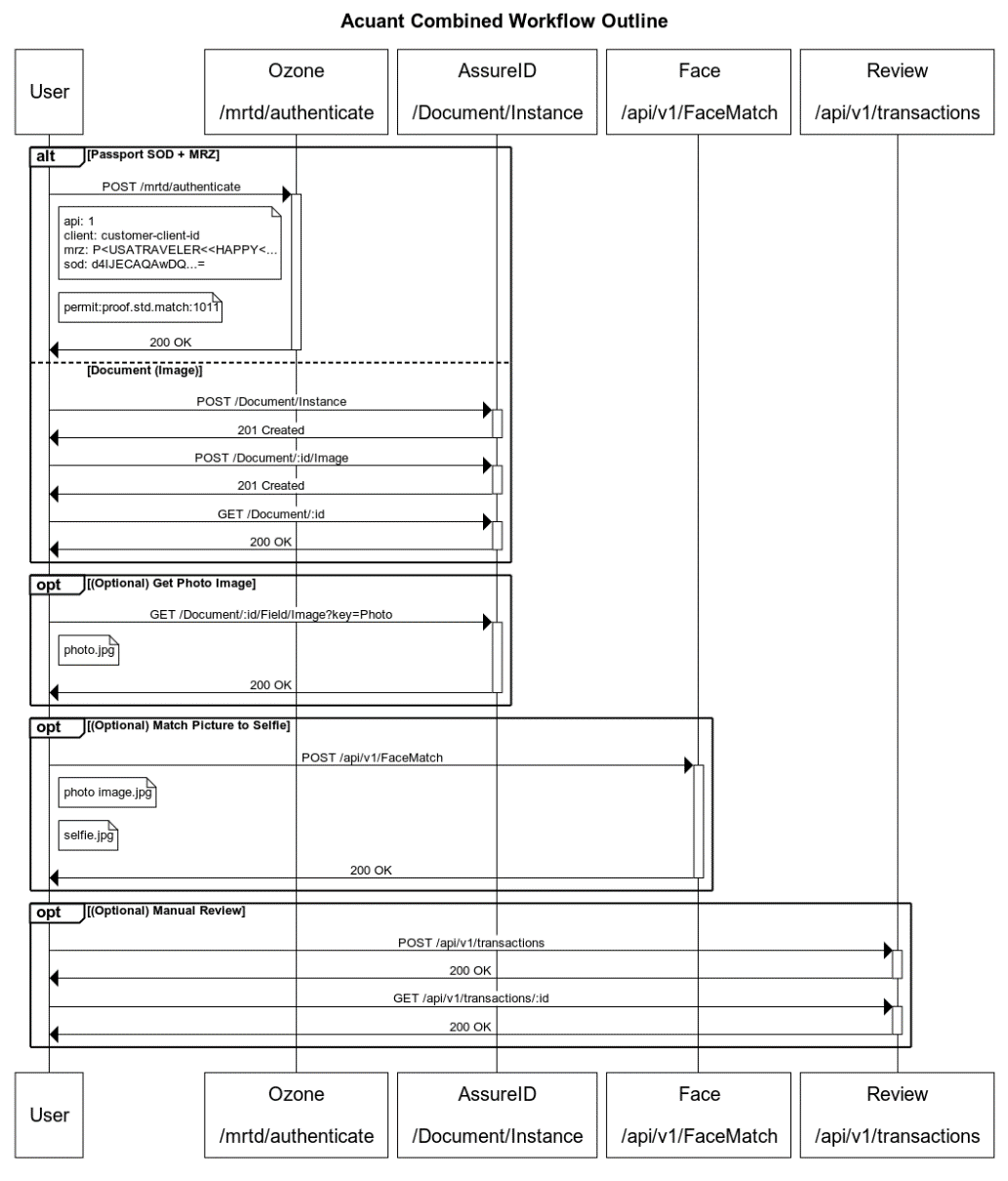
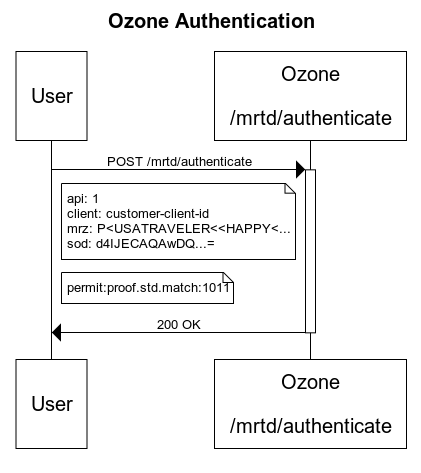
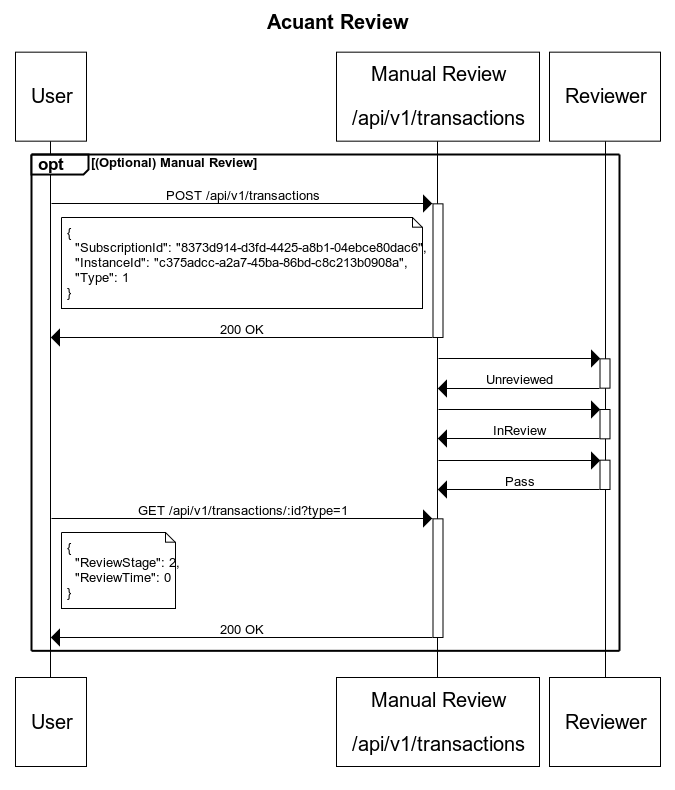
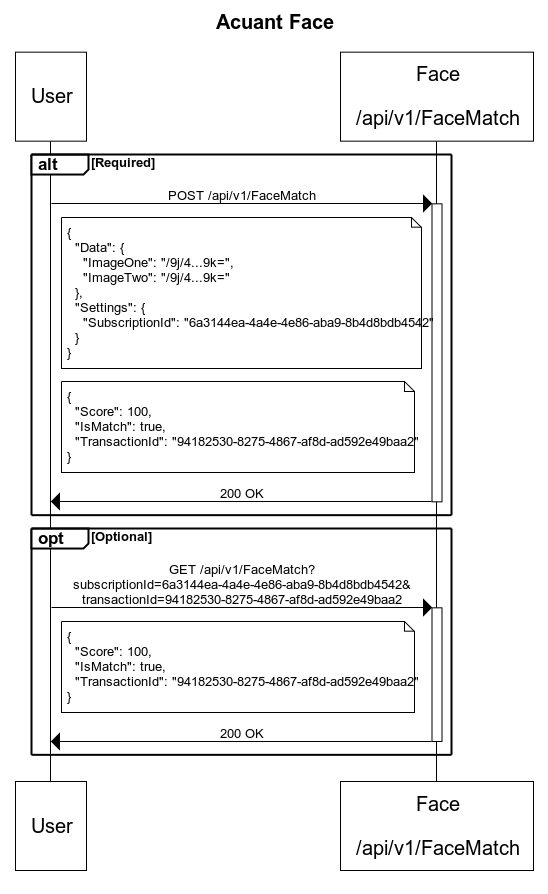
The following diagram shows the AssureID combined workflow, incorporating AssureID Ozone, AssureID Face, and GBG Review.