

CSSNLib library
Address
Section titled “Address”Returns the Address value in string format (read-only)
Syntax
Address As StringParameters
None
Return Values
Returns the Address value
Address2
Section titled “Address2”Returns the Address2 value in string format (read-only)
Syntax
Address2 As StringParameters
None
Return Values
Returns the Address2 value
Address3
Section titled “Address3”Returns the Address3 value in string format (read-only)
Syntax
Address3 As StringParameters
None
Return Values
Returns the Address3 value
Address4
Section titled “Address4”Returns the Address4 value in string format (read-only)
Syntax
Address4 As StringParameters
None
Return Values
Returns the Address4 value
Address5
Section titled “Address5”Returns the Address5 value in string format (read-only)
Syntax
Address5 As StringParameters
None
Return Values
Returns the Address5 value
Address6
Section titled “Address6”Returns the Address6 value in string format (read-only)
Syntax
Address6 As StringParameters
None
Return Values
Returns the Address6 value
Returns the Audit value as a string (read-only)
Syntax
Audit As StringParameters
None
Return Values
Returns the Audit value
AutoDetectState
Section titled “AutoDetectState”Automatically detects the state type according to the image. If the function returns with no error values, then the return value is the state ID. This value can be assigned to the IdState input parameter in the ProcState function for data extraction.
Syntax
AutoDetectState(Reserved As String) As LongParameters
| Parameter | Description |
|---|---|
| [in] Reserved | Null-terminated empty string |
Return Values
| Value | Description |
|---|---|
| LICENSE_INVALID | License invalid; all scanner operations disabled |
| LICENSE_EXPIRED | License expired; all scanner operations disabled |
| INVALID_INTERNAL_IMAGE | No internal image loaded; must scan an image first |
| ID_ERR_STATE_NOT_SUPPORTED | License image does not match any state template |
| ID_ERR_STATE_NOT_RECOGNIZED | License image does not match any state template |
AutoDetectStateEx
Section titled “AutoDetectStateEx”Automatically aligns the internal image horizontally and then detects the angle of rotation.
If the function returns with none of the above error values, then the return value is the state ID. This value can be assigned to the IdState input parameter in the ProcState function for data extraction. You can dump the rotated image from the internal buffer to a file using the RotateImage function.
Syntax
AutoDetectStateEx(Reserved As String, angle As Long) As LongParameters
| Parameter | Description |
|---|---|
| [in] Reserved | Null-terminated empty string |
| [out] Angle | Returns the number of clockwise 90 degree turns that the image was rotated to be aligned horizontally |
Return Values
| Value | Description |
|---|---|
| LICENSE_INVALID | License invalid; all scanner operations disabled |
| ID_ERR_USA_TEMPLATES_ NOT_FOUND | Template database UsaIds.bin file for U.S. missing from the SDK files location |
| INVALID_INTERNAL_IMAGE | No internal image loaded; must scan an image first |
| ID_ERR_STATE_NOT_SUPPORTED | License image does not match any state template |
| ID_ERR_STATE_NOT_RECOGNIZED | License image does not match any state template |
CalibrateScanner
Section titled “CalibrateScanner”Calibrates the scanner using the calibration card (similar to the CalibrateScanner function described in the ScanW_Library.pdf document) but this function will display the calibration progress bar dialog. The calibration results are stored in a file inside the windows directory. The operation result can be tested for good completion by reading LastErrorStatus property.
The CalibrateScanner may store one of the following values:
| Value | Description |
|---|---|
| SLIB_TRUE | Operation succeeded |
| SLIB_FALSE | Operation failed (no calibration card was found) |
| SLIB_ERR_SCANNER_BUSSY | Scanner still busy executing the previous scanner command |
| LICENSE_INVALID | Library not initialized with proper license |
| SLIB_ERR_SCANNER_NOT_FOUND | No attached scanner found |
| SLIB_ERR_INVALID_SCANNER | Attached scanner invalid |
Syntax
CalibrateScanner()Parameters
None
Return Values
None
CalibrateScannerEx
Section titled “CalibrateScannerEx”Calibrates the scanner using the calibration card (similar to the CalibrateScanner function) but this function will display the calibration progress bar dialog.
Syntax
CalibrateScannerEx()Return Values
None
CalibrationThreshold
Section titled “CalibrationThreshold”Returns or gets the Calibration Threshold value. This value will affect the Is Need Calibration function. (read/write)
Accepted values: 1 - 100, where 1 is the most sensitive and 100 is the least sensitive. (DEFAULT is 60)
Syntax
CalibrationThreshold As IntegerParameters
None
Return Values
Returns the Calibration Threshold value
Returns the City value in string format (read-only)
Syntax
City As StringParameters
None
Return Values
Returns the City value
Returns the Class value in string format (read-only)
Syntax
Class As StringParameters
None
Return Values
Returns the Class value
Cleans the scanner lens by running the cleaning pad (supplied with the scanner kit) back and forth. This function applies only to scanner modules ScanShell 800/N.
Syntax
Clean()Return Values
| Value | Description |
|---|---|
| SLIB_ERR_SCANNER_BUSY | Scanner busy executing the previous scanner command |
ConcatenateImage
Section titled “ConcatenateImage”Combines two image files into a single image file. The function follows this sequence:
-
Imports SourceImage0 to an image object 0.
-
Rotates image object0 by Angle0.
-
Imports SourceImage1 to an image object 1.
-
Rotates image object1 by Angle1.
-
Combines Image0 and Image1 one on top of each other (if CombType is equal to IMAGE_COMB_VERTICAL) or one to the left of the other (if CombType is equal to IMAGE_COMB_ HORIZONTAL).
-
Saves the resulting image to an external file or to the clipboard.
Note: This function only works on image files and not on the internal image.
Syntax
ConcatenateImage(SourceImage0 As String, Angle0 As Long, SourceImage1 As String, Angle1 As Long, CombType As Long, DestType As Long, DestImage As String)Parameters
| Parameter | Description |
|---|---|
| [in] SourceImage0 | Full path name of the first image. |
| [in] Angle0 | Angle to rotate the SourceImage0 before the combination. |
| [in] SourceImage1 | Full path name of the second image. |
| [in] Angle1 | Angle to rotate SourceImage0 before the combination. |
| [in] CombType | Location of the images in the result image file: |
| [in] DestType | Destination of rotated image: |
| [in] DestImage | Full path of the destination file; ignored if DestType is set to SAVE_TO_CLIPBOARD |
Return Values
| Value | Description |
|---|---|
| IMG_ERR_SUCCESS | Function succeeded |
| LICENSE_INVALID | License invalid; library not initialized with proper license |
| IMG_ERR_BAD_ANGLE_0 | Bad rotation parameter for Image0 |
| IMG_ERR_BAD_ANGLE_1 | Bad rotation parameter for Image1 |
| IMG_ERR_FILE_OPEN_FIRST | Can’t open SourceImage0 file |
| IMG_ERR_FILE_OPEN_SECOND | Can’t open SourceImage1 file |
| IMG_ERR_BAD_DESTINATION | Bad destination parameter (not file or clipboard) |
| IMG_ERR_COMB_TYPE | Bad CombType value |
| IMG_ERR_FILE_SAVE_TO_CLIPBOARD | Can’t save image to clipboard |
| IMG_ERR_FILE_SAVE_TO_FILE | Can’t save destination file (bad destination path or disk error) |
ConvertImage
Section titled “ConvertImage”This function is a shorter version of the RotateImage**()** function. It takes an input file (if SourceImage is not empty) or uses the internal image as a source (if SourceImage is empty) and saves it to a file. Using different file extensions for the source and the destination converts the image type to the desired type.
Image type conversion must be done carefully because some color schemes are not supported in all file types. The following table shows the available destination types and the color schemes they are capable of storing:
| Destination image extension | Destination image type | |||
|---|---|---|---|---|
| Destination image extension | True color (24-bit) | 256 colors (8-bit) | Grayscale (8-bit) | Black & White (1-bit) |
| BMP | √ | √ | √ | √ |
| TIF | √ | √ | √ | |
| JPG | √ | √ | ||
| PCX | √ | √ | √ | |
| TGA | √ | √ | √ | |
| PNG | √ | √ | √ | |
| PSD | √ |
Note: This table is applicable to all functions in this library.
Syntax
ConvertImage(SourceImage As String, DestImage As String) As LongParameters
| Parameter | Description |
|---|---|
| [in] SourceImage | Full path name of the original image file. If this string is empty, the rotation is performed on the internal image. |
| [in] DestImage | Full path name of the destination file |
Return Values
| Value | Description |
|---|---|
| IMG_ERR_SUCCESS | Function succeeded |
| LICENSE_INVALID | Library not initialized with proper license |
| IMG_ERR_BAD_DESTINATION | Bad destination parameter (not file or clipboard) |
| IMG_ERR_FILE_OPEN | Can’t open input file; SourceImage string is not empty but points to missing or invalid source image file |
| INVALID_INTERNAL_IMAGE | No document scanned (internal image in the memory); SourceImage string empty |
| IMG_ERR_FILE_SAVE_TO_FILE | Can’t save destination file; invalid destination file or disk save error |
County
Section titled “County”Returns the County value as a string (read-only)
Syntax
County As StringParameters
None
Return Values
Returns a string with the County value
Returns the CSC value as a string (read-only)
Syntax
CSC As StringParameters
None
Return Values
Returns a string with the CSC value
DateOfBirth
Section titled “DateOfBirth”Returns the DateOfBirth value in string format (read-only)
Syntax
DateOfBirth As StringParameters
None
Return Values
Returns the DateOfBirth value
DetectProcessAndCompareEX
Section titled “DetectProcessAndCompareEX”Detects and processes a card with two sides that each of the sides can contain text and/or barcode data. After using this function, you can get the fields data from the idData and Barcode classes (using the ScanShell 3000D/ScanShell 800DX only). To use the internal image (after scanning a card), ImageA and ImageB should be empty strings.
Syntax
DetectProcessAndCompareEX(ImageA As String, ImageB As String, state As Integer, ImageA_assignment As Integer, angleA As Integer, angleB As Integer, reserved As Integer) As LongParameters
| Parameter | Description |
|---|---|
| [in] ImageA | Full name of the source driver’s license image file (Side A) |
| [in] ImageB | Full name of the source driver’s license image file (Side B) |
| [in] State | StateID can be -1 for auto detect state |
| [in,out] ImageA_assignment | |
| [in,out] angleA | Contains the angle that has been used to rotate image A |
| [in,out] angleB | Contains the angle that has been used to rotate image B |
| [in] reserved | Use the value 0 |
Return Values
| Value | Description |
|---|---|
| stateID | Function succeeded |
| -1 | Function failed |
DetectProcessDuplexEX
Section titled “DetectProcessDuplexEX”Detects the front side and extracts the data from the two sides of a card. After using this function, you can get the fields value from the idData class (using ScanShell 3000D/ScanShell 800DX only). To use the internal image (after scanning a card), ImageA and ImageB should be empty strings.
Syntax
DetectProcessDuplexEx(ImageA As String, ImageB As String, state As Integer, ImageA_assignment As Integer, angleA As Integer, angleB As Integer, reserved As Integer) As LongParameters
| Parameter | Description |
|---|---|
| [in] ImageA | Full name of the source driver’s license image file (Side A) |
| [in] ImageB | Full name of the source driver’s license image file (Side B) |
| [in] State | StateID can be -1 for auto detect state |
| [in,out] ImageA_assignment | |
| [in,out] angleA | Contains the angle that has been used to rotate image A |
| [in,out] angleB | Contains the angle that has been used to rotate image B |
| [in] reserved | Use the value 0 |
Return Values
| Value | Description |
|---|---|
| stateID | Function succeeded |
| -1 | Function failed |
Duplex
Section titled “Duplex”Activates the double-side scan when using the ScanShell 3000D | ScanShell 800DX | ScanShell 800DXN scanners
Syntax
Duplex As IntegerParameters
None
Return Values
Returns the Duplex value
Endorsements
Section titled “Endorsements”Returns the Endorsements value in string format (read-only)
Syntax
Endorsements As StringParameters
None
Return Values
Returns the Endorsements value
ExpirationDate
Section titled “ExpirationDate”Returns the ExpirationDate value in string format (read-only)
Syntax
ExpirationDate As StringParameters
None
Return Values
Returns the ExpirationDate value
ExtractText
Section titled “ExtractText”Extracts bulk text from an image (up to 4K (4096) characters)
Syntax
ExtractText(SourceImage As String, Type_ As Long) As LongParameters
| Parameter | Description |
|---|---|
| [in] SourceImage | Full path name of the original image. |
| [in] Type_ | Instructs the OCR what type of data is written in the image. This value increases the detection accuracy and speeds up the OCR operation. This value can be one of the following values: |
Return Values
| Value | Description |
|---|---|
| TOCR_SUCCESS | Function succeeded |
| LICENSE_INVALID | License invalid; library not initialized with proper license |
| TOCRJOBERROR | OCR engine unable to perform the detection process correctly |
| TOCR_BAD_TYPE | Bad TextType value |
Returns the Eyes value in string format (read-only)
Syntax
Eyes As StringParameters
None
Return Values
Returns the Eyes value
Returns the Fee value as a string (read-only)
Syntax
Fee As StringParameters
None
Return Values
Returns a string with the Fee value
getBCData1D
Section titled “getBCData1D”Returns the getBCData1D value in string format (read-only)
Syntax
getBCData1D As StringParameters
None
Return Values
Returns the getBCData1D value
getBCAddress
Section titled “getBCAddress”Returns the getBCAddress value in string format (read-only)
Syntax
getBCAddress As StringParameters
None
Return Values
Returns the getBCAddress value
getBCCity
Section titled “getBCCity”Returns the getBCCity value in string format (read-only)
Syntax
getBCCity As StringParameters
None
Return Values
Returns the getBCCity value
getBCClass
Section titled “getBCClass”Returns the getBCClass value in string format (read-only)
Syntax
getBCClass As StringParameters
None
Return Values
Returns the getBCClass value
getBCDateOfBirth
Section titled “getBCDateOfBirth”Returns the getBCDateOfBirth value in string format (read-only)
Syntax
getBCDateOfBirth As StringParameters
None
Return Values
Returns the getBCDateOfBirth value
getBCExpirationDate
Section titled “getBCExpirationDate”Returns the getBCExpirationDate value in string format (read-only)
Syntax
getBCExpirationDate As StringParameters
None
Return Values
Returns the getBCExpirationDate value
getBCIssueDate
Section titled “getBCIssueDate”Returns the getBCIssueDate value in string format (read-only)
Syntax
getBCIssueDate As StringParameters
None
Return Values
Returns the getBCIssueDate value
getBClicense
Section titled “getBClicense”Returns the getBClicense value in string format (read-only)
Syntax
getBClicense As StringParameters
None
Return Values
Returns the getBClicense value
getBCName
Section titled “getBCName”Returns the getBCName in string format (read-only)
Syntax
getBCName As StringParameters
None
Return Values
Returns the getBCName value
getBCNameFirst
Section titled “getBCNameFirst”Returns the getBCNameFirst value in string format (read-only)
Syntax
getBCNameFirst As StringParameters
None
Return Values
Returns the getBCNameFirst value
getBCNameLast
Section titled “getBCNameLast”Returns the getBCNameLast value in string format (read-only)
Syntax
getBCNameLast As StringParameters
None
Return Values
Returns the getBCNameLast value
getBCNameMiddle
Section titled “getBCNameMiddle”Returns the getBCNameMiddle value in string format (read-only)
Syntax
getBCNameMiddle As StringParameters
None
Return Values
Returns the getBCNameMiddle value
getBCNameSuffix
Section titled “getBCNameSuffix”Returns the getBCNameSuffix value in string format (read-only)
Syntax
getBCNameSuffix As StringParameters
None
Return Values
Returns the getBCNameSuffix value
getBCSex
Section titled “getBCSex”Returns the getBCSex value in string format (read-only)
Syntax
getBCSex As StringParameters
None
Return Values
Returns the getBCSex value
getBCSocialSecurity
Section titled “getBCSocialSecurity”Returns the getBCSocialSecurity value as a string (read-only)
Syntax
getBCSocialSecurity As StringParameters
None
Return Values
Returns the getBCSocialSecurity value
getBCState
Section titled “getBCState”Returns the getBCState value in string format (read-only)
Syntax
getBCState As StringParameters
None
Return Values
Returns the getBCState value
getBCZip
Section titled “getBCZip”Returns the getBCZip value in string format (read-only)
Syntax
getBCZip As StringParameters
None
Return Values
Returns the getBCZip value
getBCEndorsements
Section titled “getBCEndorsements”Returns the getBCEndorsements value in string format (read-only)
Syntax
getBCEndorsements As StringParameters
None
Return Values
Returns the getBCEndorsements value
getBCHair
Section titled “getBCHair”Returns the getBCHair value in string format (read-only)
Syntax
getBCHair As StringParameters
None
Return Values
Returns the getBCHair value
getBCEyes
Section titled “getBCEyes”Returns the getBCEyes value in string format (read-only)
Syntax
getBCEyes As StringParameters
None
Return Values
Returns the getBCEyes value
getBCHeight
Section titled “getBCHeight”Returns the getBCHeight value in string format (read-only)
Syntax
getBCHeight As StringParameters
None
Return Values
Returns the getBCHeight value
getBCWeight
Section titled “getBCWeight”Returns the getBCWeight value in string format (read-only)
Syntax
getBCWeight As StringParameters
None
Return Values
Returns the getBCWeight value
getBCAddress2
Section titled “getBCAddress2”Returns the getBCAddress2 value in string format (read-only)
Syntax
getBCAddress2 As StringParameters
None
Return Values
Returns the getBCAddress2 value
getBCCity2
Section titled “getBCCity2”Returns the getBCCity value as a string (read-only)
Syntax
getBCCity As StringParameters
None
Return Values
Returns a string with the getBCCity value
getBCState2
Section titled “getBCState2”Returns the getBCState value in string format (read-only)
Syntax
getBCState As StringParameters
None
Return Values
Returns the getBCState value
getBCZip2
Section titled “getBCZip2”Returns the getBCZip2 value in string format (read-only)
Syntax
getBCZip2 As StringParameters
None
Return Values
Returns the getBCZip2 value
GetDetectAcuracy
Section titled “GetDetectAcuracy”Checks the detected data values and returns a value that indicates the detection accuracy (as a percentage value). This function, combined with the RotateImage() function, is useful when implementing the auto-orientation feature in the application. This feature can be implemented by rotating the internal image and for each new position, executing the ProcState() function. The operation success can be evaluated using GetDetectAcuracy() which allows us to determine if the image is in the right orientation or if a new rotation-detection-inspection is needed.
Syntax
GetDetectAcuracy() As LongParameters
None
Return Values
Returns a numeric value between 0–100 that represents an estimated percentage of the detection accuracy
GetFaceImage
Section titled “GetFaceImage”Extracts the image rectangle of the person’s face from the source ID image. The source image can be either:
-
Internal Image - The last scanned image (stored in the internal memory). This image will be used only if the SourceFileName string is empty.
-
External Image File - The full file name is given in SourceFileName parameter. If an external file is used as the source image, it must be a 24-bit image (true color) and have a resolution of 300dpi. The source and file destination can be one of the following formats: BMP, TIFF, JPG, PCX, TGA, PNG, PSD.
Note: Use the proper file extension (for example, .bmp for bitmap, .jpg for Jpeg) to specify the image format.
Syntax
GetFaceImage(Source As String, Dest As String, idState As Long) As LongParameters
| Parameter | Description |
|---|---|
| [in] Source | Null-terminated string that contains the full path of the scanned ID image. If this string is empty, then the internal image is used as the image source. |
| [in] Dest | Null-terminated string that contains the full name of the destination image file that will contain the face image from the ID document. |
| [in] idState | The state index value as defined in the idLibDef.bas file |
Return Values
| Value | Description |
|---|---|
| ID_TRUE | Function succeeded |
| LICENSE_INVALID | Library not initialized with proper license |
| ID_ERR_FILE_OPEN | Failed to load source image (if SourceFileName is not empty) |
| INVALID_INTERNAL_IMAGE | No internal image loaded; attempted to use internal image without first scanning image |
| ID_ERR_STATE_ NOT_SUPPORTED | Requested state not supported |
| ID_BAD_DESTINATION_FILE | Bad destination path (couldn’t create the destination file) |
| ID_ERR_FILE_OPEN | Bad source image file (used only when using a file as the source image); source file is missing or can’t be accessed for reading |
| INVALID_INTERNAL_IMAGE | Bad internal image (used only when extracting the face image from the image stored in the internal buffer); no image in buffer |
| ID_ERR_FACE_IMAGE_ NOT_FOUND | Analyzer can’t detect the face image in the driver’s license image |
| ID_ERR_CANNOT_DELETE_ DESTINATION_IMAGE | A file with the same name as the destination file already exists and can’t be overwritten |
| ID_ERR_CANNOT_COPY_ TO_DESTINATION | Destination file can’t be opened for write on the disk |
GetFaceImageEx
Section titled “GetFaceImageEx”This function is similar to the GetFace function but can extract more than one face image from the card. The imageType value can be 0 to get the regular face image, or 1 to get face image with the background. This function with ImageType other than a 0 value, will work only for supported cards. For now only “Spain Police” cards are supported by this function.
Syntax
GetFaceImageEx(Source As String, Dest As String, idState As Long, ImageType As Long) As LongParameters
| Parameter | Description |
|---|---|
| [in] szSourceFile | Full name of the source driver’s license image file |
| [in] szDestFile | Full name of the destination face image |
| [in] stateID | The state ID |
| [in] ImageType | The face image type to extract |
Return Values
| Value | Description |
|---|---|
| ID_TRUE | Function completed successfully |
| ID_ERR_FILE_OPEN | Unable to open input image file |
| INVALID_INTERNAL_IMAGE | Invalid internal image file |
| ID_ERR_CANNOT_DELETE_DESTINATION_IMAGE | Destination file already exists and can’t be overwritten |
| ID_ERR_CANNOT_COPY_TO_DESTINATION | Unable to copy face image file to destination file |
GetFaceImageBuffer
Section titled “GetFaceImageBuffer”Extracts the face image from the document image to the given buffer. The source document image can be an existing image file (in BMP format) or the last scanned document (stored in the internal image buffer). If the SourceFile parameter is an empty string, then the image is taken from the internal image buffer. If this parameter contains the full name of a valid image file, then this file is used.
Syntax
GetFaceImageBuffer(sSource As String, pBuf As String, sFileType As String, nStateID as Long) As LongParameters
| Parameter | Description |
|---|---|
| [in] sSource | Name of the source driver’s license image file |
| [in] pBuf | A string buffer that contains the image content upon a successful return |
| [in] sFileType | Sets the buffer image format. May be one of the following strings (case-insensitive): BMP | PNG | JPG | PCX | PSD | TGA | TIF |
| [in] nStateID | The state ID |
Return Values
| Value | Description |
|---|---|
| ID_TRUE | Function succeeded |
| ID_FALSE | Function failed |
GetFaceImageBufferDirect
Section titled “GetFaceImageBufferDirect”Extracts the face image from the document image to the given buffer. The source document image can be an existing image file (in BMP format) or the last scanned document (stored in the internal image buffer). If the SourceFile parameter is an empty string, then the image is taken from the internal image buffer. If this parameter contains the full name of a valid image file, then this file is used.
Syntax
GetFaceImageBufferDirect(sSource As String, sFileType As String, nStateID As Long) As StringParameters
| Parameter | Description |
|---|---|
| [in] sSource | Name of the source driver’s license image file |
| [in] sFileType | Sets the buffer image format. May be one of the following strings (case-insensitive): BMP | PNG | JPG | PCX | PSD | TGA | TIF |
| [in] nStateID | The state ID |
Return Values
Returns the image buffer in string format
GetFirstCountry
Section titled “GetFirstCountry”Gets the first country in the countries list. Combining this function with the function GetNextCountry lets you get the constant values of all supported countries. The countries’ constant values in the Region are not always consecutive and should be obtained using the GetNextCountry function.
Syntax
GetFirstCountry() As IntegerParameters
None
Return Values
Returns the constant value of the first country in the countries list
GetFirstStateByCountry
Section titled “GetFirstStateByCountry”Retrieves the first state constant in the country. The states constant values in the country are not always consecutive and should be obtained using the GetNextStateByCountry function.
Syntax
GetFirstStateByCountry(Country As Integer) As IntegerParameters
| Parameter | Description |
|---|---|
| [in] country | Constant value of the country |
Return Values
| Value | Description |
|---|---|
| ID_ERR_NO_MATCH | Bad country constant; otherwise, the returns the constant value of the first state in the country |
GetIDFieldMRZChecksumVerified
Section titled “GetIDFieldMRZChecksumVerified”Verifies the field value with its checksum digit on the MRZ line (where it was taken from)
Syntax
int GetIDFieldMRZChecksumVerified(nFieldIndex As Integer) As IntegerParameters
| Parameter | Description |
|---|---|
| [in] nFieldIndex | Constant value of the field |
Return Values
| Value | Description |
|---|---|
| 1 | Verification success |
| 0 | Verification failed |
| -1 | Not verified |
GetImageBufferData
Section titled “GetImageBufferData”Gets a copy of the internal image buffer. If successful, the function formats the image using the image format specified by the sFileType parameter and copies it to the pBuf. The application can dump content of pBuf to the hard drive as a binary file while assigning it a proper file extension, creating a standard image file.
Syntax
GetImageBufferData(sFileType As String, sBuffer As String) As LongParameters
| Parameter | Description |
|---|---|
| pBuf | A string buffer that contains the image content upon successful return |
| sFileType | Sets the buffer image format. May be one of the following strings (case insensitive): BMP | PNG | JPG | PCX | PSD | TIF | TGA |
Return Values
| Value | Description |
|---|---|
| BAD_IMAGE_DUMP | Function failed |
| INVALID_INTERNAL_IMAGE | Can’t process image; internal image buffer is empty or invalid |
| IMG_ERR_SUCCESS | Function processed successfully |
GetImageBufferDataDirect
Section titled “GetImageBufferDataDirect”Gets a copy of the internal image buffer. If successful, the function will format the image using the image format specified by the sFileType parameter. The application can dump the content of the return buffer data to the hard drive as a binary file while assigning it a proper file extension, creating a standard image file.
Syntax
GetImageBufferDataDirect(sFileType As String) As StringParameters
| Parameter | Description |
|---|---|
| sFileType | Sets the buffer image format. May be one of the following strings (case insensitive): BMP | PNG | JPG | PCX | PSD | TIF | TGA |
Return Values
Returns a string buffer that contains the image content
GetImageBufferDataBack
Section titled “GetImageBufferDataBack”Gets a copy of the internal image buffer. If successful, the function will format the image using the image format specified by the sFileType parameter and copies it to the pBuf. The application can dump content of pBuf to the hard drive as a binary file while assigning it a proper file extension, creating a standard image file.
Syntax
GetImageBufferDataBack(sFileType As String, sBuffer As String) As LongParameters
| Parameter | Description |
|---|---|
| pBuf | A string buffer that contains the back image content upon successful return |
| sFileType | Sets the buffer image format. May be one of the following strings (case insensitive): BMP | PNG | JPG | PCX | PSD | TIF | TGA |
Return Values
| Value | Description |
|---|---|
| BAD_IMAGE_DUMP | Failed to dump the Back image buffer; internal error |
| INVALID_INTERNAL_IMAGE | Can’t process back image; internal image buffer is empty or invalid |
| IMG_ERR_SUCCESS | Function processed successfully |
GetImageBufferDataBackDirect
Section titled “GetImageBufferDataBackDirect”Gets a copy of the internal image buffer. If successful, the function will format the image using the image format specified by the sFileType parameter and copies it to the pBuf. The application can dump content of pBuf to the hard drive as a binary file while assigning it a proper file extension, creating a standard image file.
Syntax
GetImageBufferDataBack(sFileType As String) As StringParameters
| Parameter | Description |
|---|---|
| sFileType | Sets the buffer image format. May be one of the following strings (case insensitive): BMP | PNG | JPG | PCX | PSD | TIF | TGA |
Return Values
Returns a string buffer that contains the back image content
GetImageDimensions
Section titled “GetImageDimensions”Finds the image dimension in pixels
Syntax
GetImageDimensions(fileName As String, Width As Long, Height As Long) As LongParameters
| Parameter | Description |
|---|---|
| [in] fileName | Image file name (or empty string if referring to the internal image) |
| [in] Width | Returns the width of the image (in pixels) |
| [in] Height | Returns the height of the image (in pixels) |
Return Values
| Value | Description |
|---|---|
| IMG_ERR_FILE_OPEN | Failed to open input file |
| INVALID_INTERNAL_IMAGE | Can’t process image; internal image buffer is empty or invalid |
| IMG_ERR_SUCCESS | Function processed successfully |
GetImageProperties
Section titled “GetImageProperties”Finds the image color scheme and resolution. The color scheme may be set to one of the following:
| Color scheme | Image description |
|---|---|
| IMAGE_COLOR_TRUE | A TRUE COLOR image (24-bit) |
| IMAGE_COLOR_256 | Contains 256 colors |
| IMAGE_GRAY_256 | Contains 256 gray colors |
| IMAGE_BW | Contains black and white only |
Syntax
GetImageProperties(fileName As String, Color As Long,dpi As Long) As LongParameters
| Parameter | Description |
|---|---|
| [in] fileName | Image file name (or empty string if referring to the internal image) |
| [out] Color | Returns the image color scheme |
| [out] dpi | Returns the image resolution in dots per inch (dpi) |
Return Values
| Value | Description |
|---|---|
| IMG_ERR_FILE_OPEN | Failed to open input file |
| INVALID_INTERNAL_IMAGE | Can’t process image; internal image buffer is empty or invalid |
| IMG_ERR_SUCCESS | Function processed successfully |
getJpgQuality
Section titled “getJpgQuality”Returns the getJpgQuality value in integer format (read-only)
Syntax
getJpgQuality() As IntegerParameters
None
Return Values
Returns the getJpgQuality value
getMagAddress
Section titled “getMagAddress”Returns the getMagAddress value in string format (read-only)
Syntax
getMagAddress() As StringParameters
None
Return Values
Returns the getMagAddress value
getMagCity
Section titled “getMagCity”Returns the getMagCity value in string format (read-only)
Syntax
getMagCity() As StringParameters
None
Return Values
Returns the getMagAddress value
getMagClass
Section titled “getMagClass”Returns the getMagClass in string format (read-only)
Syntax
getMagClass() As StringParameters
None
Return Values
Returns the getMagClass value
getMagDateOfBirth
Section titled “getMagDateOfBirth”Returns the getMagDateOfBirth in string format (read-only)
Syntax
getMagDateOfBirth() As StringParameters
None
Return Values
Returns the getMagDateOfBirth value
getMagEndorsements
Section titled “getMagEndorsements”Returns the getMagEndorsements in string format (read-only)
Syntax
getMagEndorsements() As StringParameters
None
Return Values
Returns the getMagEndorsements value
getMagExpirationDate
Section titled “getMagExpirationDate”Returns the getMagExpirationDate in string format (read-only)
Syntax
getMagExpirationDate() As StringParameters
None
Return Values
Returns the getMagExpirationDate value
getMagEyes
Section titled “getMagEyes”Returns the getMagEyes in string format (read-only)
Syntax
getMagEyes() As StringParameters
None
Return Values
Returns the getMagEyes value
getMagHair
Section titled “getMagHair”Returns the getMagHair in string format (read-only)
Syntax
getMagHair() As StringParameters
None
Return Values
Returns the getMagHair value
getMagHair
Section titled “getMagHair”Returns the getMagHair in string format (read-only)
Syntax
getMagHair() As StringParameters
None
Return Values
Returns the getMagHair value
getMagHeight
Section titled “getMagHeight”Returns the getMagHeight in string format (read-only)
Syntax
getMagHeight() As StringParameters
None
Return Values
Returns the getMagHeight value
getMagIssueDate
Section titled “getMagIssueDate”Returns the getMagIssueDate in string format (read-only)
Syntax
getMagIssueDate() As StringParameters
None
Return Values
Returns the getMagIssueDate value
getMaglicense
Section titled “getMaglicense”Returns the getMaglicense in string format (read-only)
Syntax
getMaglicense() As StringParameters
None
Return Values
Returns the getMaglicense value
getMagNameFirst
Section titled “getMagNameFirst”Returns the getMagNameFirst in string format (read-only)
Syntax
getMagNameFirst() As StringParameters
None
Return Values
Returns the getMagNameFirst value
getMagNameLast
Section titled “getMagNameLast”Returns the getMagNameLast in string format (read-only)
Syntax
getMagNameLast() As StringParameters
None
Return Values
Returns the getMagNameLast value
getMagNameMiddle
Section titled “getMagNameMiddle”Returns the getMagNameMiddle in string format (read-only)
Syntax
getMagNameMiddle() As StringParameters
None
Return Values
Returns the getMagNameMiddle value
getMagNameSuffix
Section titled “getMagNameSuffix”Returns the getMagNameSuffix in string format (read-only)
Syntax
getMagNameSuffix() As StringParameters
None
Return Values
Returns the getMagNameSuffix value
getMagRawData
Section titled “getMagRawData”Gets the data as retrieved from the magnetic reader device without further processing
Syntax
GetRawData(sData As String) As LongParameters
| Parameter | Description |
|---|---|
| [in] sData | Null-terminated string that contains the raw data |
Return Values
| Value | Description |
|---|---|
| MAG_ERR_NONE | Data retrieved successfully |
| MAG_ERR_CARD_NOT-DETECTED | Buffer is empty |
Syntax
getMagRawData(sData As String) As LongParameters
None
Return Values
Returns the getMagRawData value
getMagRestriction
Section titled “getMagRestriction”Returns the getMagRestriction in string format (read-only)
Syntax
getMagRestriction() As StringParameters
None
Return Values
Returns the getMagRestriction value
getMagSex
Section titled “getMagSex”Returns the getMagSex in string format (read-only)
Syntax
getMagSex() As StringParameters
None
Return Values
Returns the getMagSex value
getMagState
Section titled “getMagState”Returns the getMagState in string format (read-only)
Syntax
getMagState() As StringParameters
None
Return Values
Returns the getMagState value
getMagWeight
Section titled “getMagWeight”Returns the getMagWeight in string format (read-only)
Syntax
getMagWeight() As StringParameters
None
Return Values
Returns the getMagWeight value
getMagZip
Section titled “getMagZip”Returns the getMagZip in string format (read-only)
Syntax
getMagZip() As StringParameters
None
Return Values
Returns the getMagZip value
GetNextCountry
Section titled “GetNextCountry”Gets the next country in the country list. To get the countries list, call GetFirstCountry once to obtain the first country and then continuously call GetNextCountry until ID_ERR_NO_NEXT_COUNTRY is returned.
Syntax
GetNextCountry() As IntegerParameters
None
Return Values
| Value | Description |
|---|---|
| ID_ERR_COUNTRY_NOT_INIT | The GetFirstCntry function not previously called |
| ID_ERR_NO_MATCH | List contains an internal error |
| ID_ERR_NO_NEXT_COUNTRY | Last country in the list |
GetNextStateByCountry
Section titled “GetNextStateByCountry”Gets the next state in the list
Syntax
GetNextStateByCountry(Country As Integer) As IntegerParameters
| Parameter | Description |
|---|---|
| [in] country | Constant value of the country |
Return Values
| Value | Description |
|---|---|
| ID_ERR_ NO_MATCH | Bad country constant; otherwise, returns the constant value of the first state in the country |
| ID_ERR_COUNTRY_NOT_INIT | GetFirstCountry function not previously called |
| ID_ERR_NO_NEXT_STATE | Last state on the country state list |
getPassportFaceEx
Section titled “getPassportFaceEx”Extracts the image rectangle of the person’s face from the source passport image. Remember that the original scanned image must be rotated by 180 degrees (so it is aligned correctly) before this function is called. This function works properly only for 3”x5” images. The destination image is generated in bitmap format.
Syntax
getPassportFaceEx(srcFile As String, dstFile As String) As LongParameters
| Parameter | Description |
|---|---|
| [in] srcFile | Full path and name of the passport source file |
| [in] dstFile | Full path and name of the passport destination file |
Return Values
| Value | Description |
|---|---|
| PASS_ERR_NONE | Face extracted successfully |
| PASS_ERR_CANNOT_DELETE_ DESTINATION_IMAGE | Returned when file with same name as destination file already exists and can’t be overwritten |
| PASS_ERR_CANNOT_COPY_ TO_DESTINATION | Failed to copy the face image to the destination file |
| PASS_ERR_FACE_IMAGE_ NOT_FOUND | Can’t locate the face image on the document |
getPassportAddress2
Section titled “getPassportAddress2”Returns the getPassportAddress2 value in string format (read-only)
Syntax
getPassportAddress2() As StringParameters
None
Return Values
Returns the getPassportAddress2 value
getPassportAddress3
Section titled “getPassportAddress3”Returns the getPassportAddress3 value in string format (read-only)
Syntax
getPassportAddress3() As StringParameters
None
Return Values
Returns the getPassportAddress3 value
getPassportCountry
Section titled “getPassportCountry”Returns the getPassportCountry value in string format (read-only)
Syntax
getPassportCountry() As StringParameters
None
Return Values
Returns the getPassportCountry value
getPassportCountryLong
Section titled “getPassportCountryLong”Returns the getPassportCountryLong value in string format (read-only)
Syntax
getPassportCountryLong() As StringParameters
None
Return Values
Returns the getPassportCountryLong value
getPassportDateOfBirth
Section titled “getPassportDateOfBirth”Returns the getPassportDateOfBirth value in string format (read-only)
Syntax
getPassportDateOfBirth() As StringParameters
None
Return Values
Returns the getPassportDateOfBirth value
getPassportExpirationDate
Section titled “getPassportExpirationDate”Returns the passport expiration date in string format (read-only)
Syntax
getPassportExpirationDate() As StringParameters
None
Return Values
Returns the getPassportExpirationDate value
getPassportFace
Section titled “getPassportFace”Extracts the image rectangle of the person’s face from the source passport image. Remember that the original scanned image must be rotated by 180 degrees (so it is aligned correctly) before this function is called. This function works properly only for 3”x5” images. The destination image is generated in BITMAP format.
Syntax
getPassportFace(Source As String) As LongParameters
| Parameter | Description |
|---|---|
| [in] DestFile | Null-terminated string that contains the full name of the destination image file (which contains the face image from the passport) |
Return Values
| Value | Description |
|---|---|
| PASS_ERR_NONE | Function succeeded |
| LICENSE_INVALID | License invalid; library not initialized with proper license |
| PASS_ERR_CANNOT_DELETE_ DESTINATION_IMAGE | Returned when file with same name as destination file already exists and can’t be overwritten |
| PASS_ERR_CANNOT_COPY_ TO_DESTINATION | Returned when destination file can’t be opened for write on the disk |
| PASS_ERR_FACE_IMAGE_ NOT_FOUND | Could not retrieve the face image from the passport image |
Extracts the image rectangle of the bearer’s face from the passport. Note that the original scanned image must be rotated by 180 degrees
Syntax
getPassportFace(Source As String) As LongParameters
getPassportFaceImageBuffer
Section titled “getPassportFaceImageBuffer”Extracts the face image from the passport document image to the given buffer
The source document image can be an existing image file (in BMP format) or the last scanned document (stored in the internal image buffer). If the SourceFile parameter is an empty string, then the image is taken from the internal image buffer. If this parameter contains the full name of a valid image file, then this file is used.
Syntax
getPassportFaceImageBuffer(sSource As String, pBuf As String, sFileType As String) As LongParameters
| Setting | Description |
|---|---|
| [in] sSource | Name of the source driver’s license image file |
| [in] pBuf | A string buffer that contains the image content upon a successful return |
| [in] sFileType | Sets the buffer image format. May be one of the following strings (case-insensitive): BMP | PNG | JPG | PCX | PSD | TGA | TIF |
| [in] nStateID | The state ID |
Return Values
| Value | Description |
|---|---|
| ID_TRUE | Function succeeded |
| ID_FALSE | Function failed |
getPassportIssueDate
Section titled “getPassportIssueDate”Returns the getPassportIssueDate in string format (read-only)
Syntax
getPassportIssueDate() As StringParameters
None
Return Values
Returns the getPassportIssueDate value
getPassportNameFirst
Section titled “getPassportNameFirst”Returns the NameFirst value in string format (read-only)
Syntax
getPassportNameFirst() As StringParameters
None
Return Values
Returns the NameFirst value
getPassportNameLast
Section titled “getPassportNameLast”Returns the NameLast value in string format (read-only)
Syntax
getPassportNameLast() As StringParameters
None
Return Values
Returns the NameLast value
getPassportNameMiddle
Section titled “getPassportNameMiddle”Returns the NameMiddle value in string format (read-only)
Syntax
getPassportNameMiddle() As StringParameters
None
Return Values
Returns the NameMiddle value
getPassportNationality
Section titled “getPassportNationality”Returns the getPassportNationality value in string format (read-only)
Syntax
getPassportNationality() As StringParameters
None
Return Values
Returns the getPassportNationality value
getPassportNationalityLong
Section titled “getPassportNationalityLong”Returns the getPassportNationalityLong value in string format (read-only)
Syntax
getPassportNationalityLong() As StringParameters
None
Return Values
Returns the getPassportNationalityLong value
getPassportPassportNumber
Section titled “getPassportPassportNumber”Returns the getPassportPassportNumber value in string format (read-only)
Syntax
getPassportPassportNumber() As StringParameters
None
Return Values
Returns the getPassportPassportNumber value
getPassportPersonalNumber
Section titled “getPassportPersonalNumber”Returns the getPassportPersonalNumber value in string format (read-only)
Syntax
getPassportPersonalNumber() As StringParameters
None
Return Values
Returns the getPassportPersonalNumber value
getPassportSex
Section titled “getPassportSex”Returns the getPassportSex value in string format (read-only)
Syntax
getPassportSex() As StringParameters
None
Return Values
Returns the getPassportSex value
getPassportDateOfBirth4
Section titled “getPassportDateOfBirth4”Returns the getPassportDateOfBirth4 value in string format (read-only)
Syntax
getPassportDateOfBirth4() As StringParameters
None
Return Values
Returns the getPassportDateOfBirth4 value
getPassportExpirationDate4
Section titled “getPassportExpirationDate4”Returns the getPassportExpirationDate4 value with a 4-digit year in string format (read-only)
Syntax
getPassportExpirationDate4() As StringParameters
None
Return Values
Returns the getPassportExpirationDate4 value
getPassportIssueDate4
Section titled “getPassportIssueDate4”Returns the getPassportIssueDate4 value with a 4-digit year in string format (read-only)
Syntax
getPassportIssueDate4() As StringParameters
None
Return Values
Returns the getPassportIssueDate4 value
GetPassportMRZChecksumVerified
Section titled “GetPassportMRZChecksumVerified”Verifies the field value with its checksum digit on the MRZ line (where it was taken from)
Syntax
GetPassportMRZChecksumVerified(nFieldIndex As Integer) As IntegerParameters
| Parameter | Description |
|---|---|
| [in] FieldIndex | Constant value of the field |
Return Values
| Value | Description |
|---|---|
| 1 | Verification success |
| 0 | Verification failed |
| -1 | Not verified |
GetRawData
Section titled “GetRawData”Returns the extracted text data in one bulk as detected by the barcode analyzer. The data is returned “as is” with no parsing or additional processing. This function is useful for retrieving data from general purpose barcode images.
Syntax
GetRawData(sBufData As String) As LongParameters
| Parameter | Description |
|---|---|
| [in] sBufData | A string that contains the returned value |
Return Values
None
GetRawDataDirect
Section titled “GetRawDataDirect”Returns the extracted text data in one bulk as detected by the barcode analyzer. The data is returned “as is” with no parsing or additional processing. This function is useful for retrieving data from general purpose barcode images.
Syntax
GetRawDataDirect() As StringParameters
| Parameter | Description |
|---|---|
| [in] sBufData | A string that contains the returned value |
Return Values
None
GetRawField
Section titled “GetRawField”The AAMVA National standard defines 51-field types that might be encoded in the PDF417 barcode image. Each one of the fields may be retrieved from the image using the field index specified in GetImageBufferDataDirect. If the field is populated, its value is retrieved and copied to Value. If the field is empty (or not implemented on the image), the Value parameter is set to an empty string. The maximum field size may be up to 60 characters long.
Note that the fields are populated differently in different states. For example, the field NAME is populated in field index BCF_NAME for an Alabama driver license, and the same field is populated in field index BCF_DRIVER_LAST_NAME for a Delaware driver license. The raw field ranges from BCF_NAME (0) to BCF_AKA_PREFIX (50).
In addition to the raw fields, the CBarCode offers an additional set of fields (ranging from BCF_EMUL_FULL_NAME to BCF_EMUL_SSN). These fields are generated after the raw fields are loaded. The fields uniform the data extraction by copying the data from the raw fields and diverting it while considering its originated state type. This removes the burden from the developer of knowing the state type and the way the data is handled in this particular state.
Syntax
GetRawField(Index As Long, Value As String) As LongParameters
| Parameter | Description |
|---|---|
| [in] Index | An Integer that contains the value of the requested field |
| [out] Value | A String that contains the returned value indicated by Index |
Return Values
| Value | Description |
|---|---|
| BC_ERR_NONE | Function succeeded |
| BC_ERR_BAD_PARAM | Function failed; value passed by Index is not a valid field index |
getResolution
Section titled “getResolution”Retrieves the scanner resolution settings and sets the scanned image resolution. The resolution value can be any integer in the range 50–600 (for 50-600 dpi). Trying to set a value outside this is rejected and the previous value is used. The internal image resolution can be modified after the scan using the ReformatImage() function. (read/write)
Syntax
getResolution() As IntegerParameters
None
Return Values
Returns the getResolution value
getScanHeight
Section titled “getScanHeight”Sets and retrieves the scan height (in 1/100 inch units). Range is 200–400 milli-inches. (read/write)
When using scanner models ScanShell 800xx/2000xx/3000xx, the scanner may also scan a document with an unknown size. In this mode, the scanner scans the document until it detects that the entire document has been fed into the scanner. Then the black borders of the image are automatically cropped and the resulting image is returned to the calling application. To trigger this feature, you must set both ScanHeight and ScanWidth properties to –1. When the scan completes, these properties will reflect the detected document size in milli-inches.
Note: If you use Auto-detect scan size*,* make sure to set ScanHeight and ScanWidth to –1 before each scan because these properties are overwritten automatically with the recently scanned document size.
Syntax
getScanHeight() As IntegerParameters
None
Return Values
Returns the ScannerHeight value
getScannerColorScheme
Section titled “getScannerColorScheme”Gets the scanned image color scheme. The internal image color scheme can be modified after the scan using the ReformatImage function. Available values are: BW | GRAY | TRUECOLOR (read/write)
Syntax
getScannerColorScheme() As IntegerParameters
None
Return Values
None
getScanVersion
Section titled “getScanVersion”Gets the CSSNLib version (read-only)
Syntax
getScanVersion() As IntegerParameters
None
Return Values
Returns the ScanVersion value
getScanWidth
Section titled “getScanWidth”Gets the scan width (in 1/100 inch units) in a range of 200-600 (read/write)
Syntax
getScanWidth() As IntegerParameters
None
Return Values
Returns the ScanWidth value
GetSignImage
Section titled “GetSignImage”Extracts the image rectangle of the person’s signature from the source ID image. The source image can be either:
- Internal Image - The last scanned image (stored in the internal memory). Used only if SourceFileName string is empty.
- External Image File - The full file name is given in SourceFileName parameter. If an external file is used as the source image, it must be a 24-bit image (true color) and have a resolution of 300 dpi. The source and file destination can be one of the following formats: BMP, TIFF, JPG, PCX, TGA, PNG, PSD. To set the image format, use the proper file extension.
Syntax
GetSignImage(Source As String, Dest As String, idState As Long) As LongParameters
| Parameter | Description |
|---|---|
| [in] Source | Null-terminated string that contains the full path of the scanned ID image. If empty, uses the internal image as the image source |
| [in] Dest | Null-terminated string that contains the full name of the destination |
| [in] idState | State index value as defined in idLibDef.bas file |
Return Values
| Value | Description |
|---|---|
| ID_TRUE | Function succeeded |
| ID_FALSE | Function failed: |
Returns the Hair value in string format (read-only)
Syntax
Hair As StringParameters
None
Return Values
Returns the Hair value
Returns the Id value in string format (read-only)
Syntax
Id As StringParameters
None
Return Values
Returns the Id value
Id2Country
Section titled “Id2Country”Converts the country ID number to the country name
Syntax
Id2Country(ICountryId As Long, Country As String) As LongParameters
| Parameter | Description |
|---|---|
| [in] ICountryId | The country ID number |
| [in] Country | Country name |
Return Values
| Value | Description |
|---|---|
| ID_TRUE | Function succeeded |
| ID_ERR_NO_MATCH | The value in id is not a valid country ID |
Id2State
Converts the state ID to the state name. For example, passing Id2State with the value 4 loads the string StateName with the string “California.” The function converts the string to the ID even if the state is not supported by the library.
Syntax
Id2State(Id As Long, State As String) As LongParameters
| Parameter | Description |
|---|---|
| [in] CountryId | The country ID number |
Return Values
| Value | Description |
|---|---|
| ID_TRUE | Function succeeded |
| ID_ERR_NO_MATCH | No state with that ID was found |
IdCountry
Section titled “IdCountry”Returns the full name of the country that issued the document (read-only)
Syntax
IdCountry As StringParameters
None
Return Values
Returns the IdCountry value in string format
IdCountryShort
Section titled “IdCountryShort”Returns the IdCountryShort value as a string (read-only)
Syntax
IdCountryShort As StringParameters
None
Return Values
Returns a string with the IdCountryShort value
IdOriginal
Section titled “IdOriginal”Returns the IdOriginal value as a string (read-only)
Syntax
IdOriginal As StringParameters
None
Return Values
Returns a string with the IdOriginal value
IdWideCharacters
Section titled “IdWideCharacters”Returns the IdWideCharactersvalue as a string (read-only)
Syntax
IdWideCharacters As StringParameters
None
Return Values
Returns a string with the IdWideCharacters value
ImageColor
Section titled “ImageColor”Returns the ImageColor value in Long format (read-only)
Syntax
ImageColor As LongParameters
None
Return Values
Returns the ImageColor value
ImageDPI
Section titled “ImageDPI”Returns the ImageDPI value in Long format (read-only)
Syntax
ImageDPI As LongParameters
None
Return Values
Returns the ImageDPI value
ImageHeight
Section titled “ImageHeight”Returns the ImageHeight in string format (read-only)
Syntax
IdWideCharacters As StringParameters
None
Return Values
Returns the ImageHeight value
ImageWidth
Section titled “ImageWidth”Returns the ImageWidth in string format (read-only)
Syntax
ImageWidth As StringParameters
None
Return Values
Returns the ImageWidth value
ImgDespeckle
Section titled “ImgDespeckle”Cleans random pixels from black and white images. Such noise may be shown when converting images with gradient color transition from color to black and white color. The higher the value set in maxBlobArea, the more details in the image will be considered.
Syntax
ImgDespeckle(ImgFile As String, maxBlobArea As Long) As LongParameters
| Parameter | Description |
|---|---|
| sImageFileType | Source image file name or an empty string if referring to the internal image |
| maxBlobArea | Maximum area size (in square pixels) of random pixels that will be considered as noise and will be removed from the image (DEFAULT is 30) |
Return Values
| Value | Description |
|---|---|
| IMG_ERR_FILE_OPEN | Failed to open input file specified by sImageFile |
| INVALID_INTERNAL_IMAGE | Can’t process image; internal image buffer is empty or invalid |
| IMG_ERR_SUCCESS | Function processed successfully |
InitBarcodeLibrary
Section titled “InitBarcodeLibrary”Initializes the CBarCode library
Note: This function must be called before calling any other function in the library.
Syntax
InitBarcodeLibrary(license As String) As LongParameters
| Parameter | Description |
|---|---|
| [in] license | Null-terminated string that holds the license key value |
Return Values
| Value | Description |
|---|---|
| LICENSE_VALID | License is valid and library is ready to use |
| LICENSE_INVALID | License invalid; all scanner operations disabled |
| LICENSE_EXPIRED | License expired; all scanner operations disabled |
| LICENSE_DOES_NOT_MATCH_LIBRARY | License invalid for this library; all library operations disabled |
| GENERAL_ERR_PLUG_NOT_FOUND | Returned if the attached scanner is not one of the following: ScanShell 600 | ScanShell 800 | ScanShell 1000 |
InitCImageLibrary
Section titled “InitCImageLibrary”Initializes the CImage library
Note: This function must be called before calling any other function in the library.
Syntax
InitCImageLibrary(license As String) As LongParameters
| Parameter | Description |
|---|---|
| [in] license | Null-terminated string that holds the license key value |
Return Values
| Value | Description |
|---|---|
| LICENSE_VALID | License is valid and library is ready to use |
| LICENSE_INVALID | License invalid; all scanner operations disabled |
| LICENSE_EXPIRED | License expired; all scanner operations disabled |
| LICENSE_DOES_NOT_MATCH_LIBRARY | License invalid for this library; all library operations disabled |
| GENERAL_ERR_PLUG_NOT_FOUND | Returned if the attached scanner is not one of the following: ScanShell 600 | ScanShell 800XX | ScanShell 1000 | ScanShell 2000XX | ScanShell 4000 | ScanShell 5000 |
| SLIB_LIBRARY_ALREADY_INITIALIZED | Library already loaded; ignores InitCImageLibrary function call |
InitIdDataLibrary
Section titled “InitIdDataLibrary”Initializes the IdData library
Note: This function must be called before calling any other function in the library.
Syntax
InitIdDataLibrary(license As String) As LongParameters
| Parameter | Description |
|---|---|
| [in] license | Null-terminated string that holds the license key value |
Return Values
| Value | Description |
|---|---|
| LICENSE_VALID | License is valid and library is ready to use |
| LICENSE_INVALID | License invalid; all scanner operations disabled |
| LICENSE_EXPIRED | License expired; all scanner operations disabled |
| LICENSE_DOES_NOT_MATCH_LIBRARY | License invalid for this library; all library operations disabled |
| GENERAL_ERR_PLUG_NOT_FOUND | Returned if the attached scanner is not one of the following: ScanShell 600 | ScanShell 800 | ScanShell 1000 |
InitCOcrLibrary
Section titled “InitCOcrLibrary”Initializes the InitCOcr library
Note: This function must be called before calling any other function in the library.
Syntax
InitCOcrLibrary(license As String) As LongParameters
| Parameter | Description |
|---|---|
| [in] license | Null-terminated string that holds the license key value |
Return Values
| Value | Description |
|---|---|
| LICENSE_VALID | License is valid and library is ready to use |
| LICENSE_INVALID | License invalid; all scanner operations disabled |
| LICENSE_EXPIRED | License expired; all scanner operations disabled |
| LICENSE_DOES_NOT_MATCH_LIBRARY | License invalid for this library; all library operations disabled |
| GENERAL_ERR_PLUG_NOT_FOUND | Returned if the attached scanner is not one of the following: ScanShell 600 | ScanShell 800 | ScanShell 1000 |
InitMagLibLibrary
Section titled “InitMagLibLibrary”Initializes the InitMagLib library
Note: This function must be called before calling any other function in the library.
Syntax
InitMagLibLibrary(license As String) As LongParameters
| Parameter | Description |
|---|---|
| [in] license | Null-terminated string that holds the license key value |
Return Values
| Value | Description |
|---|---|
| LICENSE_VALID | License is valid and library is ready to use |
| LICENSE_INVALID | License invalid; all scanner operations disabled |
| LICENSE_EXPIRED | License expired; all scanner operations disabled |
| LICENSE_DOES_NOT_MATCH_LIBRARY | License invalid for this library; all library operations disabled |
| GENERAL_ERR_PLUG_NOT_FOUND | Returned if the attached scanner is not one of the following: ScanShell 600 | ScanShell 800 | ScanShell 1000 |
InitPassportLibrary
Section titled “InitPassportLibrary”Initializes the InitPassportLibrary library
Note: This function must be called before calling any other function in the library.
Syntax
InitPassportLibrary (license As String) As LongParameters
| Parameter | Description |
|---|---|
| [in] license | Null-terminated string that holds the license key value |
Return Values
| Value | Description |
|---|---|
| LICENSE_VALID | License is valid and library is ready to use |
| LICENSE_INVALID | License invalid; all scanner operations disabled |
| LICENSE_EXPIRED | License expired; all scanner operations disabled |
| LICENSE_DOES_NOT_MATCH_LIBRARY | License invalid for this library; all library operations disabled |
| GENERAL_ERR_PLUG_NOT_FOUND | Returned if the attached scanner is not one of the following: ScanShell 600 | ScanShell 800 | ScanShell 1000 |
InitSLibLibrary
Section titled “InitSLibLibrary”Initializes the InitSLibLibrary library
Note: This function must be called before calling any other function in the library.
Syntax
InitSLibLibrary(license As String) As LongParameters
| Parameter | Description |
|---|---|
| [in] license | Null-terminated string that holds the license key value |
Return Values
| Value | Description |
|---|---|
| LICENSE_VALID | License is valid and library is ready to use |
| LICENSE_INVALID | License invalid; all scanner operations disabled |
| LICENSE_EXPIRED | License expired; all scanner operations disabled |
| LICENSE_DOES_NOT_MATCH_LIBRARY | License invalid for this library; all library operations disabled |
| GENERAL_ERR_PLUG_NOT_FOUND | Returned if the attached scanner is not one of the following: ScanShell 600 | ScanShell 800 | ScanShell 1000 |
InOutScan
Section titled “InOutScan”Returns or gets the InOutScan value (read/write)
Setting this value causes the ScanShell 3000D/ScanShell 800DX/ScanShell 800DXN to eject the scanned document in an opposite direction to the scan feed direction. This option is used to scan documents that can’t be scanned in a feed-through manner, such as passports.
Syntax
InOutScan As IntegerParameters
None
Return Values
Returns or gets the InOutScan value
IsNeedCalibration
Section titled “IsNeedCalibration”Retrieves if the scanner needs to be calibrated. This should be tested before every scan. A non-calibrated scanner may generate images with incorrect colors. Read-only.
Syntax
IsNeedCalibration As IntegerParameters
None
Return Values
Returns a non-zero value if the scanner needs to be calibrated and a zero value if the scanner does not need to be calibrated
IsReaderValid
Section titled “IsReaderValid”Detects if the magnetic stripe reader is connected and functioning. The reader is searched for in the COM port which is found in the InitLibrary function.
Syntax
IsReaderValid() As LongParameters
None
Return Values
| Value | Description |
|---|---|
| MAG_ERR_NO_READER_FOUND | Reader not connected to PC |
| MAG_ERR_NONE | Reader connected to PC and functioning correctly |
IsScannerValid
Section titled “IsScannerValid”Detects if the scanner version is supported by the current code (read-only)
Syntax
IsScannerValid As IntegerParameters
None
Return Values
Returns a non-zero value if the scanner version is supported and a zero value if the scanner version is supported
IssueDate
Section titled “IssueDate”Returns the IssueDate value in string format (read-only)
Syntax
IssueDate As StringParameters
None
Return Values
Returns the IssueDate value
LastErrorStatus
Section titled “LastErrorStatus”Retrieves the preceding property/command setup. This property is equal to ELIB_ERR_NONE when no error occurred in the previous command execution. This property clears itself automatically to ELIB_ERR_NONE after reading. (read-only)
Syntax
LastErrorStatus As IntegerParameters
None
Return Values
Returns the LastErrorStatus value
LastStateIndex
Section titled “LastStateIndex”Returns the LastStateIndex value as an Integer
Syntax
LastStateIndex As IntegerParameters
None
Return Values
Returns the LastStateIndex value
license
Section titled “license”Returns the license value in string format
Syntax
license As StringParameters
None
Return Values
Returns the license value
Returns the mText value in string format (read-only)
Syntax
mText As StringParameters
None
Return Values
Returns the mText value
NameFirst
Section titled “NameFirst”Returns the NameFirst value in string format
Syntax
NameFirst As StringParameters
None
Return Values
Returns the NameFirst value
NameLast
Section titled “NameLast”Returns the NameLast value in string format
Syntax
NameLast As StringParameters
None
Return Values
Returns the NameLast value
NameMiddle
Section titled “NameMiddle”Returns the NameMiddle value in string format
Syntax
NameMiddle As StringParameters
None
Return Values
Returns the NameMiddle value
NameSuffix
Section titled “NameSuffix”Returns the NameSuffix value in string format
Syntax
NameSuffix As StringParameters
None
Return Values
Returns the NameSuffix value
NameFirst_NonMRZ
Section titled “NameFirst_NonMRZ”Returns the NameFirst_NonMRZ value in string format
Syntax
NameFirst_NonMRZ As StringParameters
None
Return Values
Returns the NameFirst_NonMRZ value
NameLast_NonMRZ
Section titled “NameLast_NonMRZ”Returns the NameLast_NonMRZ value in string format
Syntax
NameLast_NonMRZ As StringParameters
None
Return Values
Returns the NameLast_NonMRZ value
NameMiddle_NonMRZ
Section titled “NameMiddle_NonMRZ”Returns the NameMiddle_NonMRZ value in string format
Syntax
NameMiddle_NonMRZ As StringParameters
None
Return Values
Returns the NameMiddle_NonMRZ value
NameSuffix_NonMRZ
Section titled “NameSuffix_NonMRZ”Returns the NameSuffix_NonMRZ value in string format
Syntax
NameSuffix_NonMRZ As StringParameters
None
Return Values
Returns the NameSuffix_NonMRZ value
PaperInTray
Section titled “PaperInTray”Detects whether a document is present in the scanner tray. This property is equal to 0 if no paper is detected in the tray or non-zero if paper is in the tray. (read-only)
Syntax
PaperInTray As IntegerParameters
None
Return Values
Returns the PaperInTray value
ProcBarcode1DImage
Section titled “ProcBarcode1DImage”Detects the data encapsulated in the 1D barcode. The function decodes the barcode and stores the data in the Data1D property. If the function failed to process the barcode, the content of the Data1D property is set to an empty string.
Syntax
ProcBarcode1DImage(ImageFile As String) As LongParameters
| Parameter | Description |
|---|---|
| [in] ImageFile | Empty string Reserved |
Return Values
| Value | Description |
|---|---|
| LICENSE_INVALID | License invalid; library not initialized |
| SLIB_ERR_SCANNER_NOT_FOUND | Scanner not connected to PC; all scanner operations disabled. Check the scanner connection and restart the function |
| SLIB_ERR_INVALID_SCANNER | Attached scanner invalid |
| INVALID_INTERNAL_IMAGE | No internal image loaded; must scan an image first |
| BC_ERR_NO_BC_FOUND | Failed to find 1D barcode printing on the image |
| BC_ERR_NONE | Barcode detected successfully |
ProcBarcodeImage
Section titled “ProcBarcodeImage”Processes the barcode image
Syntax
ProcBarcodeImage(ImageFile As String) As LongParameters
| Parameter | Description |
|---|---|
| [in] ImageFile | Empty string Reserved |
Return Values
| Value | Description |
|---|---|
| LICENSE_INVALID | License invalid; library not initialized |
| SLIB_ERR_SCANNER_NOT_FOUND | Scanner not connected to PC; all scanner operations disabled. Check the scanner connection and restart the function |
| SLIB_ERR_INVALID_SCANNER | Attached scanner invalid |
| INVALID_INTERNAL_IMAGE | No internal image loaded; must scan an image first |
| BC_ERR_NO_BC_FOUND | Failed to find 1D barcode printing on the image |
| BC_ERR_NONE | Barcode detected successfully |
processMag
Section titled “processMag”Processes the recently swiped card raw data. The raw data is scanned for format detection. If a specific format is detected, the data is parsed further and loads the library properties.
Syntax
processMag() As LongParameters
None
Return Values
| Value | Description |
|---|---|
| LONG_AAMVA | Standard AAMVA format (includes channel1, channel2 and channel3) |
| SHORT_AAMVA | Short AAMVA format (includes channel1 and channel3) |
| OLD_CA_DMV | Old DMV format (California) |
| OLD_LA_DMV | Old DMV format (Louisiana) |
| UNKNOWN_FORMAT | Unknown format; no further processing performed |
processMagEx
Section titled “processMagEx”Processes the recently swiped card raw data. The raw data is scanned for format detection. If a specific format is detected, the data is parsed further and loads the library properties.
Syntax
processMagEx(strData As String) As LongParameters
| Parameter | Description |
|---|---|
| [in] strData |
Return Values
| Value | Description |
|---|---|
| LONG_AAMVA | Standard AAMVA format (includes channel1, channel2 and channel3) |
| SHORT_AAMVA | Short AAMVA format (includes channel1 and channel3) |
| OLD_CA_DMV | Old DMV format (California) |
| OLD_LA_DMV | Old DMV format (Louisiana) |
| UNKNOWN_FORMAT | Unknown format; no further processing performed |
ProcessPassport
Section titled “ProcessPassport”Processes the scanned passport image
Syntax
ProcessPassport(fileName As String) As LongProcState
Section titled “ProcState”Processes the internal image acquired in the previous scan. The function deskews (straightens) and cleans the image and then passes it to the OCR for analysis. The resultant textual data is kept in internal structure ready for retrieval by the RefreshData function. Processing the image does not modify the image content.
Successful image processing depends on the following:
- The image must be scanned in 24-bit (true color) and 300 dpi.
- The image must be aligned horizontally with a tolerance of no more than ±10 degrees.
Syntax
ProcState(fileName As String, idState As Long) As LongParameters
| Parameter | Description |
|---|---|
| [in] fileName | Null-terminated empty string Reserved |
| [in] idState | Constant numeric value of the processed state ID |
Return Values
| Value | Description |
|---|---|
| ID_TRUE | Function succeeded |
| LICENSE_INVALID | License invalid; library not initialized |
| SLIB_ERR_SCANNER_NOT_FOUND | Scanner not connected to PC; all scanner operations disabled. Check the scanner connection. Restart the function |
| SLIB_ERR_INVALID_SCANNER | Attached scanner invalid |
| ID_ERR_STATE_NOT_SUPORTED | Requested state ID not supported |
| INVALID_INTERNAL_IMAGE | No internal image loaded; must scan an image first |
ReformatImage
Section titled “ReformatImage”Modifies the image color scheme and resolution and saves it to a file in any one of seven formats. The manipulated image may be loaded from an external file (if SourceImage string holds a string value equal to the source image file name) or performed on the internal image buffer (if SourceImage string is empty). When using a file as the image source, it is important to use the proper file extension to indicate the image format. Proper extension types are: BMP, JPG, TIFF, PCX, PNG, TGA, and PSD. If an image has an unrecognizable extension due to an error (for example, TIF instead of TIFF), the function refers to the file as BITMAP.
Image reformatting can be done either on the image color scheme, on the image dpi, or both. Notice that changing the image format may lose the image color information (for example, when converting from 24-bit true color to 256 grayscale). Modifying an image format from 256 grayscale to 24-bit true color will obviously not add color to the image but it will save the image with the proper RGB format (no color map) instead of using the 256 grayscale palette.
After the image is reformatted, it can be exported to an external image file. The destination file name may be one of the seven file formats indicated above. If the destination file name has an unrecognizable extension, the function exports to the file in a BITMAP format (the default format). If no destination image file name is provided (empty string), then the image is not saved.
Note: The 256-color scheme is not supported for JPG and TIFF files.
Syntax
ReformatImage(SourceImage As String, toColor As Integer, toDpi As Integer, DestImage As String)Parameters
| Parameter | Description |
|---|---|
| [in] SourceImage | Full path name of the original image file. If this string is empty, the rotation is performed on the internal image |
| [in] toColor | One of the following values: |
| [in] toDpi | Sets the new image DPI (a value of 0 indicates no DPI modification) |
| [in] DestImage | Full path name of the destination file (If an empty string, no save performed) |
Return Values
| Value | Description |
|---|---|
| IMG_ERR_BAD_COLOR | Bad toColor parameter value |
| IMG_ERR_BAD_DPI | Bad toDpi parameter value |
| IMG_ERR_FILE_OPEN | Can’t open input file. Returned if SourceImage string is not empty but points to a missing or invalid source image file |
| INVALID_INTERNAL_IMAGE | Returned if SourceImage string is empty but no document was scanned (no internal image in memory) |
| IMG_ERR_FILE_SAVE_TO_FILE | Can’t save destination file due to an invalid destination file or disk save error |
| IMG_ERR_SUCCESS | Function processed successfully |
RefreshBarcodeData
Section titled “RefreshBarcodeData”Syntax
RefreshBarcodeData() As LongRefreshData
Section titled “RefreshData”Loads the library properties with the recently detected data. This function should normally be called after executing the ProcStatefunction.
Syntax
RefreshData() As LongParameters
None
Return Values
- If the function returns a non-zero value, the data was retrieved successfully.
- If the function returns a zero value, the data was not retrieved.
RefreshDataAu
Section titled “RefreshDataAu”Loads the library properties with the recently detected data. This function should normally be called after executing the ProcStatefunction.
Syntax
RefreshDataAu() As LongParameters
None
Return Values
- If the function returns a non-zero value, the data was retrieved successfully.
- If the function returns a zero value, the data was not retrieved.
RegionAutoDetectSupport
Section titled “RegionAutoDetectSupport”Detects whether a document of a specific state can be automatically detected by the AutoDetectStateEx function after scanning the document. If so, AutoDetectStateEx will return the proper state enum, and this value can be used as an input parameter to the ProcState function, which retrieves the data from the image.
Note: If RegionAutoDetectSupport returns ID_FALSE, then skip the call to AutoDetectStateEx and call ProcState directly, while setting the stateID parameter manually.
Syntax
RegionAutoDetectSupport(RegionId As Long) As LongParameters
| Parameter | Description |
|---|---|
| [in] RegionId | The region enumeration value |
Return Values
| Value | Description |
|---|---|
| ID_ERR_NO_MATCH | The RegionId parameter does not contain a valid region enum. |
| ID_TRUE | The RegionId parameter represents a region that supports autodetection. |
| ID_FALSE | The RegionId parameter represents a region that does not support autodetection. |
RegionByCountry
Section titled “RegionByCountry”Detects the region that contains the country. For a complete list of the regions and their related states, see Appendix A.
Syntax
RegionByCountry(Country As Long) As LongParameters
| Parameter | Description |
|---|---|
| [in] Country | Constant value of a country |
Return values
| Value | Description |
|---|---|
| ID_ERR_NO_MATCH | The Country parameter does not contain a valid country ID. Otherwise, this returns the region ID that contains the input country |
RegionGetFirst
Section titled “RegionGetFirst”Gets the value of the first region in the SDK region list. The SDK divides the supported countries into several major regions. The regions are organized in a list that can be retrieved by calling to this function once, and then continuously calling the RegionGetNext() function.
The list size and order may vary in the future, therefore, you should never fix the region values in your code and always retrieve it using the RegionGetFirst and RegionGetNext functions.
Note: Not all the regions currently support auto detection.
Syntax
RegionGetFirst As LongParameters
None
Return values
Returns the value of the first region in the SDK region list
RegionGetFirstCountry
Section titled “RegionGetFirstCountry”Gets the list of countries in the region (when used with RegionGetNextCountry)
Syntax
RegionGetFirstCountry(IRegion As Long) As LongParameters
| Parameter | Description |
|---|---|
| [in] IRegion | The region ID that contains the country list |
Return Values
| Value | Description |
|---|---|
| ID_TRUE | Function succeeded |
| ID_ERR_NO_MATCH | The value in region is not a valid region ID. Otherwise, the function returns the first country ID in the region. |
RegionGetIdByName
Section titled “RegionGetIdByName”Converts region name values into the region ID
Syntax
RegionGetNameById(lRegionId As Long, sRegion As String) As LongParameters
| Parameter | Description |
|---|---|
| [in] IRegionId | The region numeric value |
| [in] sRegion | A string that accepts the region name |
Return Values
| Value | Description |
|---|---|
| ID_TRUE | Region found; RegionName string returns with region name |
| ID_ERR_NO_MATCH | The RegionId parameter is not a valid region enumeration |
RegionGetNameById
Section titled “RegionGetNameById”Converts region ID values into the region name
Syntax
RegionGetNameById(lRegionId As Long, sRegion As String) As LongParameters
| Parameter | Description |
|---|---|
| [in] IRegionId | The region numeric value |
| [in] sRegion | A string that accepts the region name |
Return Values
| Value | Description |
|---|---|
| ID_TRUE | Region found; RegionName string returns with region name |
| ID_ERR_NO_MATCH | The RegionId parameter is not a valid region enumeration |
RegionGetNext
Section titled “RegionGetNext”Retrieves the region list:
- Call the RegionGetFirstfunction once.
- Call RegionGetNext continuously in a loop until the ID_ERR_NO_NEXT_COUNTRY value is returned. For each call, the function returns the ID of the next region.
Syntax
RegionGetNextCountry(Region As Integer) As LongParameters
None
Return Values
| Parameter | Description |
|---|---|
| ID_ERR_NO_MATCH | The RegionGetFirst function was never called before calling this function |
| ID_ERR_NO_NEXT_COUNTRY | No next country in list; last call retrieved the last country in the list. Otherwise, the function returns 1, the value of the next region ID. |
RegionGetNextCountry
Section titled “RegionGetNextCountry”Combined with RegionGetFirstCountry), obtains the list of countries in the region
- Call RegionGetFirstCountryonce.
- Then call RegionGetNextCountry continuously in a loop and store the returned value until the ID_ERR_NO_NEXT_COUNTRY value is returned.
- Retrieve the full region list using RegionGetFirstand RegionGetNextfunctions.
- For each Region, retrieve the full countries list using RegionGetFirstCountryand RegionGetNextCountry functions.
- For each Country, retrieve the full state list using GetFirstStateByCountryand GetNextStateByCountryfunctions.
Syntax
RegionGetNextCountry(IRegionId As Long) As LongParameters
| Parameter | Description |
|---|---|
| [in] IRegionId | The region ID that contains the country list |
Return Values
| Value | Description |
|---|---|
| ID_TRUE | Function succeeded |
| ID_ERR_NO_MATCH | Value in region not a valid region ID. Otherwise, the function returns the next country ID in the region. |
| ID_ERR_NO_NEXT_COUNTRY | No next country in list; last call retrieved the last country in the list |
RegionSet
Section titled “RegionSet”The AcuFill SDK can automatically detect the card type using the following steps:
-
Set the region number.
-
Run the AutoDetectStateEx function (as described in the ScanW_Library.pdf document) after scanning the image.
Currently, the following regions support autodetection:
| ID | Region |
|---|---|
| 0 | USA (DEFAULT) |
| 1 | Canada |
| 4 | Australia |
| 5 | Asia |
The autodetection will support additional regions in the upcoming versions. For a complete list of the regions and their related states, see Appendix A.
Note: Upon invocation of the library, the DEFAULT region is set to USA (Region Number 0).
Syntax
RegionSet(RegionId As Long) As LongParameters
| Parameter | Description |
|---|---|
| [in] RegionId | The current region ID |
Return Values
| Value | Description |
|---|---|
| ID_TRUE | Region setting successful |
| ID_ERR_AUTO_DETECT_NOT_SUPPORTED | The RegionId parameter doesn’t support auto detection |
| ID_ERR_NO_MATCH | The RegionId parameter is not a valid region identifier |
Restriction
Section titled “Restriction”Returns the Restriction value in string format (read-only)
Syntax
Restriction As StringParameters
None
Return Values
Returns the Restriction value
RotateImage
Section titled “RotateImage”Rotates an image by 0, 90, 180, or 270 degrees and saves it to a file in one of 7 formats. The manipulated image may be loaded from an external file (if SourceImage string holds a string value equal to the source image file name) or performed on the internal image buffer (if SourceImage string is empty). When using a file as the image source, it is important to use the proper file extension to indicate the image format. Proper extension types are: BMP, JPG, TIFF, PCX, PNG, TGA, and PSD. If an image has an unrecognizable extension due to an error (for example, TIF instead of TIFF), the function refers to the file as BITMAP.
After the image is rotated, it can be exported to either the clipboard or to an external image file. The destination file name may be one of the seven file formats indicated above. If an image has an unrecognizable extension due to an error (for example, TIF instead of TIFF), the function exports the file in a BITMAP format. The destination file name may be the same as the source file name. In such a case, the new file, resulting with a rotated image, will overwrite the original file. If no destination image file name is provided (empty string), then the image is not saved.
Note: Don’t be misled by the name of this function.
The RotateImage function’s flexibility actually allows you to do the following implicitly:
| Function call | Description |
|---|---|
| RotateImage (“xxx.bmp”, ANGLE_0, SAVE_TO_FILE, “xxx.jpg”) | Converts an image file from one type to another |
| RotateImage (“xxx.bmp”, ANGLE_0, SAVE_TO_CLIPBOARD, “”) | Copies an image file to the clipboard |
| RotateImage (“”, ANGLE_0, SAVE_TO_FILE, “”) | Rotates the internal image |
| RotateImage (“”, ANGLE_0, SAVE_TO_FILE, “xxx.bmp”) | Saves the internal image to a file |
Syntax
RotateImage(SourceImage As String, Angle As Long, DestType As Long, DestImage As String)Parameters
| Parameter | Description |
|---|---|
| [in] SourceImage | Full path name of the original image file. If this string is empty, the rotation is performed on the internal image. |
| [in] Angle | Angle to rotate original image: |
| [in] DestType | Destination of the rotated image: |
| [in] DestImage | Full path and name of the destination file. This parameter is ignored if the parameter DestType is set to SAVE_TO_CLIPBOARD. If this value is an empty string, no save is performed. |
Return Values
| Value | Description |
|---|---|
| IMG_ERR_SUCCESS | Function succeeded |
| LICENSE_INVALID | License invalid; library not initialized with proper license |
| IMG_ERR_BAD_ANGLE_0 | Bad rotation parameter |
| IMG_ERR_BAD_DESTINATION | Bad destination parameter (not file or clipboard) |
| IMG_ERR_FILE_OPEN | Can’t open input file; SourceImage string is not empty but points to missing or invalid source image file |
| INVALID_INTERNAL_IMAGE | No document scanned (internal image in the memory); SourceImage string empty |
| IMG_ERR_FILE_SAVE_ TO_CLIPBOARD | Can’t save image to the clipboard due to error |
| IMG_ERR_FILE_SAVE_TO_FILE | Can’t save destination file; invalid destination file or disk save error |
ScannerType
Section titled “ScannerType”Retrieves the scanner type (read-only)
Syntax
ScannerType As IntegerParameters
None
Return Values
The scanner type can be one of these values:
| Value | Description | Value | Description | |
|---|---|---|---|---|
| 0 | No scanner | 15 | ScanShell 800DXN | |
| 1 | ScanShell 600 | 16 | SnapShell (FDA) | |
| 2 | ScanShell 800 | 17 | SnapShell (WMD) | |
| 3 | ScanShell 800N | 18 | SnapShell (TWN) | |
| 4 | ScanShell 1000 | 19 | CSSN_PASS (SnapShell - Passport camera) | |
| 5 | ScanShell 2000 | 20 | CSSN_RTE8K | |
| 6 | ScanShell 2000N | 21 | CSSN_TWAIN_N | |
| 7 | ScanShell 800E | 22 | CSSN_MAGTEK_STX | |
| 8 | ScanShell 800EN | 23 | CSSN_CLBS | |
| 9 | ScanShell 3000 | 24 | CSSN_IP | |
| 10 | ScanShell 4000 | 25 | CSSN_1000N | |
| 11 | ScanShell 800G | 26 | CSSN_3000DN | |
| 12 | ScanShell 5000 | 27 | CSSN_IC_SCAN | |
| 13 | SnapShell (IDR) | 28 | CSSN_RTE9K | |
| 14 | ScanShell 800DX | 28 | CSSN_RTE9K |
ScanToFile
Section titled “ScanToFile”Scan a document to the internal image buffer and, at the same time, export it to a bitmap file named “File Name” in the local disk. The operation result can be tested for good completion by reading the LastErrorStatus property.
Note: You must scan the image in true color and at 300 dpi for OCR recognition.
After the scan, the internal image can be further manipulated and exported using separate commands:
| Command | Description |
|---|---|
| RotateImage | Rotate the internal image by 90, 180 or 270 degrees and/or modify the internal image resolution |
| ReformatImage | Modify the internal image color to gray or black and white images |
| ConvertImage | Save the internal image to an external file in one of the seven file formats |
Syntax
ScanToFile(fileName As String) As LongParameters
| Parameter | Description |
|---|---|
| [in] fileName | Null-terminated string that contains the full path of the scanned image |
Return Values
| Value | Description |
|---|---|
| SLIB_ERR_NONE | Function succeeded |
| SLIB_ERR_SCANNER_BUSSY | Scanner busy executing the previous scanner command |
| SLIB_ERR_SCANNER_NOT_FOUND | Scanner not connected to PC; all scanner operations disabled. Check the scanner connection and restart the function |
| SLIB_ERR_SCANNER_GENERAL_FAIL | Scanner failed to start |
| SLIB_ERR_HARDWARE_ERROR | Scanner hardware error |
| SLIB_ERR_PAPER_FED_ERROR | Document not fed far enough in tray to create image file |
| SLIB_ERR_SCANABORT | Scanning was aborted |
| SLIB_ERR_NO_PAPER | Paper jammed while scanner was running |
| SLIB_ERR_PAPER_JAM | Failed to create image file on disk |
| SLIB_ERR_FILE_IO_ERROR | Not applicable |
| SLIB_ERR_PRINTER_PORT_USED | Not enough memory to create temporary image |
| SLIB_ERR_OUT_OF_MEMORY | Paper jammed while scanner was running |
ScanToFileEx
Section titled “ScanToFileEx”Scan a document to the internal image buffer and, at the same time, export it to a bitmap file named “File Name” in the local disk. The operation result can be tested for good completion by reading the LastErrorStatus property.
Note: You must scan the image in true color and at 300 dpi for OCR recognition.
After the scan, the internal image can be further manipulated and exported using separate commands:
| Command | Description |
|---|---|
| RotateImage | Rotate the internal image by 90, 180 or 270 degrees and/or modify the internal image resolution |
| ReformatImage | Modify the internal image color to gray or black and white images |
| ConvertImage | Save the internal image to an external file in one of the seven file formats |
Syntax
ScanToFileEx(fileName As String) As LongParameters
| Parameter | Description |
|---|---|
| [in] fileName | Null-terminated string that contains the full path of the scanned image |
Return Values
| Value | Description |
|---|---|
| SLIB_ERR_NONE | Function succeeded |
| SLIB_ERR_SCANNER_BUSSY | Scanner busy executing the previous scanner command |
| SLIB_ERR_SCANNER_NOT_FOUND | Scanner not connected to PC; all scanner operations disabled. Check the scanner connection and restart the function |
| SLIB_ERR_SCANNER_GENERAL_FAIL | Scanner failed to start |
| SLIB_ERR_HARDWARE_ERROR | Scanner hardware error |
| SLIB_ERR_PAPER_FED_ERROR | Document not fed far enough in tray to create image file |
| SLIB_ERR_SCANABORT | Scanning was aborted |
| SLIB_ERR_NO_PAPER | Paper jammed while scanner was running |
| SLIB_ERR_PAPER_JAM | Failed to create image file on disk |
| SLIB_ERR_FILE_IO_ERROR | Not applicable |
| SLIB_ERR_PRINTER_PORT_USED | Not enough memory to create temporary image |
| SLIB_ERR_OUT_OF_MEMORY | Paper jammed while scanner was running |
setJpgQuality
Section titled “setJpgQuality”Returns the setJpgQuality value in Integer format.
Syntax
setJpgQuality(JpgQuality As Integer)Parameters
None
Return Values
Returns the setJpgQuality value
setResolution
Section titled “setResolution”Syntax
setResolution(Resolution As Integer)setScanHeight
Section titled “setScanHeight”Syntax
setScanHeight(ScanHeight As Integer)setScannerColorScheme
Section titled “setScannerColorScheme”Syntax
setScannerColorScheme(ScannerColorScheme As Integer)setScanWidth
Section titled “setScanWidth”Syntax
setScanWidth(ScanWidth As Integer)Returns the Sex value in string format (read-only)
Syntax
Sex() As StringParameters
None
Return Values
Returns the Sex value
Returns the Side value in string format (read-only)
Syntax
Side()As StringParameters
None
Return Values
Returns the Side value
SigNum
Section titled “SigNum”Returns the SigNum value in string format (read-only)
Syntax
SigNum() As StringParameters
None
Return Values
Returns the SigNum value
SocialSecurity
Section titled “SocialSecurity”Returns the SocialSecurity value as a string (read-only)
Syntax
SocialSecurity() As StringParameters
None
Return Values
Returns the SocialSecurity value
Returns the State value in string format (read-only)
Syntax
State() As StringParameters
None
Return Values
Returns the State value
State2Id
Section titled “State2Id”Converts a state name (string) to its equivalent ID value, even if the state is not supported by the library. For example, passing the StateName loaded with the string “California” will return the value 4. See Id2State()and LastStateIndexSyntaxfor more information.
Syntax
State2Id(State As String) As LongParameters
| Parameter | Description |
|---|---|
| [in] StateName | String that contains the state name |
Return Values
| Value | Description |
|---|---|
| StateId | String that contains the state name |
| ID_ERR_NO_MATCH | Not a valid region ID; otherwise, the function returns the next country ID in the region. |
StateIsSupported
Section titled “StateIsSupported”Indicates whether the ID image of a given state can be processed. Use this function to detect what states the library currently supports.
Syntax
StateIsSupported(idState As Long) As LongParameters
| Parameter | Description |
|---|---|
| [in] idState | Integer that contains the state ID |
Return Values
| Value | Description |
|---|---|
| ID_TRUE | State is supported and can be detected by library |
| LICENSE_INVALID | Library not initialized with proper license |
| ID_ERR_STATE_NOT_SUPORTED | State not supported |
textStampOnImg
Section titled “textStampOnImg”Stamps text on the horizontal center of the image and the vertical location specified. The vertical alignment of the text is set by the vertLocation parameter as follows:
| IMAGE_TOP | Prints the text on the upper portion of the image |
|---|---|
| IMAGE_MIDDLE | Prints the text on the middle portion of the image |
| IMAGE_BOTTOM | Prints the text on the bottom portion of the image |
Syntax
textStampOnImg(srcFile As String, text As String, textHeight As Long, vertLocation As Long, textColor As Long, dstFile As String) As LongParameters
| Parameter | Description |
|---|---|
| [in] srcFile | Full path name of the original image file. If this string is empty, the rotation is performed on the internal image. |
| [in] text | Text to print on the image |
| [in] textHeight | Height of the text, in pixels |
| [in] vertLocation | Location of the text in the image (top, middle, bottom). |
| [in] textColor | |
| [in] dstFile |
Return Values
| Value | Description |
|---|---|
| IMG_ERR_SUCCESS | Function succeeded |
| INVALID_INTERNAL_IMAGE | Can’t process image; internal image buffer is empty or invalid |
| IMG_ERR_BAD_PARAM | Bad vertical location parameter |
| IMG_ERR_FILE_OPEN | Can’t open input file |
textStampOnImgEx
Section titled “textStampOnImgEx”Stamps text on an image in the location specified by horizontalPos and verticalPos
Syntax
TextStampOnImgEx(sourceFile As String, Text As String, color As Long, opacity As Long, verticalPos As Long, horizontalPos As Long, fontName As String, fontSize As Long, bold As Long, bUnderline As Long)Parameters
| Parameter | Description |
|---|---|
| image | Source image file name (or empty string if referring to the internal image) |
| txt | Text to print on the image |
| color | Color of the text (RGB) |
| Opacity | Opacity value of the text color |
| vertPos | Location of the text in the image |
| horizontalPos | Location of the text in the image |
| fontName | Name of the font |
| fontSize | Size of the font |
| bold | Indicates whether to use boldface |
| bUnderline | Indicates whether to use underline |
Return Values
None
Returns the Type_ value in string format
Syntax
Type_ As StringParameters
None
Return Values
Returns the Type_ value
unInit
Section titled “unInit”Syntax
unInit() As LongVersion
Section titled “Version”Returns the Version value in string format (read-only)
Syntax
Version As StringParameters
None
Return Values
Returns the Version value
VersionCImage
Section titled “VersionCImage”Syntax
VersionCImage()VersionCOcr
Section titled “VersionCOcr”Syntax
VersionCOcr() As StringVersionIdData
Section titled “VersionIdData”Syntax
VersionIdData() As StringWasCardSweeped
Section titled “WasCardSweeped”Call this function periodically to find out if a new card swipe was performed. If no new swipe was performed, the function returns MAG_ERR_CARD_NOT_DETECTED. If the reader detects a new swipe, it returns MAG_ERR_CARD_DETECTED. If the system is in error condition (due to bad initialization or disconnection of the reader from the PC), the function returns one of the other values.
Syntax
WasCardSweeped() As LongParameters
None
Return Values
| Value | Description |
|---|---|
| MAG_ERR_NO_READER_FOUND | Reader is not connected to the PC |
| SERIAL_NOT_INIT | Serial port not initialized |
| SERIAL_PORT_NOT_OPEN | Serial port could not be opened |
| SERIAL_PORT_CONFIG_FAIL | COM port configuration failed |
| SERIAL_COM_TIMEOUT_FAIL | COM port timeout failure |
| MAG_ERR_CARD_NOT_DETECTED | No new card swipe detected from last call to this function |
| MAG_ERR_CARD_DETECTED | Recent card swipe detected and data available for processing |
Weight
Section titled “Weight”Returns the Weight value in string format (read-only)
Syntax
Weight() As StringParameters
None
Return Values
Returns the Weight value
Returns the Zip value in string format (read-only)
Syntax
Zip() As StringParameters
None
Return Values
Returns the Zip value
idProcMRZ
Section titled “idProcMRZ”Syntax
idProcMRZ(FileName As String, rotationAngle As Long) As LongResetIDFields
Section titled “ResetIDFields”Clears data from all the fields in the idData class
Syntax
ResetIDFields()Parameters
None
Return Values
None
ResetPassportData
Section titled “ResetPassportData”Clears data from all the fields in the passport class
Syntax
ResetPassportData()Parameters
None
Return Values
None
DateOfBirth4
Section titled “DateOfBirth4”Syntax
DateOfBirth4() As StringExpirationDate4
Section titled “ExpirationDate4”Syntax
ExpirationDate4() As StringIssueDate4
Section titled “IssueDate4”Syntax
IssueDate4() As StringReleasePort
Section titled “ReleasePort”Syntax
ReleasePort()GetCountryIDByStateID
Section titled “GetCountryIDByStateID”Gets the country by a given StateID
Syntax
GetCountryIDByStateID(StateID As Integer) As LongParameters
| Parameter | Description |
|---|---|
| [in] StateID | Constant value of the StateId |
Return Values
| Value | Description |
|---|---|
| Constant value | Country ID |
| ID_ERR_NO_MATCH | Bad state constant |
KillSnapServer
Section titled “KillSnapServer”Stops and closes the SnapServer service that is used for the SnapShell camera.
Note: Call this function only after all the commands are done to close the application. This is the last function you should call when closing the application.
Syntax
KillSnapServer()Parameters
None
Return Values
None
PressedButton
Section titled “PressedButton”Returns the button number that was pressed (valid only when using ScanShell 1000 scanner model) (read-only) Reads this value after reading the property PaperInTray (that indicates that one of the three buttons of the scanner was pressed) to retrieve which button was pressed:
-
TOP_BUTTON
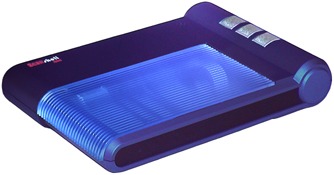
-
MIDDLE_BUTTON
-
BUTTOM_ BUTTON
Syntax
PressedButton As IntegerParameters
None
Return Values
Returns the number of the pressed button:
| Value | Description |
|---|---|
| 1 | Top button |
| 3 | Middle button |
| 2 | Bottom button |
Returns the Text1 value as a string (read-only)
Syntax
Text1 As StringParameters
None
Return Values
Returns the Text1 value
Returns the Text2 value as a string (read-only)
Syntax
Text2 As StringParameters
None
Return Values
Returns the Text2 value
Returns the Text3 value as a string (read-only)
Syntax
Text3 As StringParameters
None
Return Values
Returns the Text3 value
StopScan
Section titled “StopScan”Stops the current scan process
Syntax
StopScan()Parameters
None
Return Values
None
DefaultScanner
Section titled “DefaultScanner”Sets the default scanner type (loads the SDK faster) (Write-only)
Syntax
DefaultScanner As IntegerParameters
None
Return Values
Returns the DefaultScanner value
AssignScanner
Section titled “AssignScanner”Use a loop to call this function to get all the SnapShell devices and save it in a local array to call each SnapShell device later in your application
Syntax
AssignScanner(ScannerIndex As Integer)Parameters
| Parameter | Description |
|---|---|
| [in] | Use -1 to get the USB port number of the next SnapShell camera |
Return Values
The USB port number to which the SnapShell device is connected
GetCurrentScannerIndex
Section titled “GetCurrentScannerIndex”Gets the active SnapShell device USB port
Syntax
GetCurrentScannerIndex()Parameters
None
Return Values
Returns the active USB port number of the current active SnapShell device
ReleaseScanner
Section titled “ReleaseScanner”Use a loop to call this function to release each SnapShell device or use the KillSnapServerfunction to release all the SnapShell devices at once.
Syntax
ReleaseScanner(ScannerIndex As Integer)Parameters
| Parameter | Description |
|---|---|
| [in] | Use -1 to release all SnapShell cameras |
Return Values
None
SetCurrentScannerIndex
Section titled “SetCurrentScannerIndex”Sets the active SnapShell device to a specific USB port
Syntax
SetCurrentScannerIndex(ScannerIndex As Integer)Parameters
| Parameter | Description |
|---|---|
| [in] | SnapShell device index as returned by the AssignScannerfunction |
Return Values
None
GetFaceImageDuplex
Section titled “GetFaceImageDuplex”Gets the face image without knowing whether it is located (on front or back)
Note: Duplex scanning is only available with ScanShell 800DX/800DXN/3100D/3100DN.
Use this function to extract the image rectangle of the person’s face from the source ID image. The source image can be either:
-
Internal Image - The last scanned image (stored in the internal memory). This image will be used only if the Source string is empty.
-
External Image File - The full file name is given in Source parameter. If an external file is used as the source image, it must be a 24-bit image (true color) and have a resolution of 300dpi. The source and file destination can be one of the following formats: BMP, TIFF, JPG, PCX, TGA, PNG, PSD.
Note: Use the proper file extension (for example, .bmp for bitmap, .jpg for Jpeg) to specify the image format.
Syntax
GetFaceImageDuplex(Source As String, BackSource As String, Dest As String, idState As Integer) As LongParameters
| Parameter | Description |
|---|---|
| [in] Source | Null-terminated string that contains the full path of the scanned ID image. If this string is empty, then the internal image is used as the image source. |
| [in] BackSource | Null-terminated string that contains the full path of the scanned back side ID image. If this string is empty the internal image is used as the image source. |
| [in] Dest | Null-terminated string that contains the full name of the destination image file that will contain the face image from the ID document. |
| [in] idState | The state index value as defined in the idLibDef.bas file |
Return Values
| Value | Description |
|---|---|
| ID_TRUE | Function succeeded |
| ID_FALSE | Internal processing error |
GetFirstTwainSource
Section titled “GetFirstTwainSource”Detects and gets the first TWAIN scanner that connects to your system
- If this function returns SLIB_ERR_NO_NEXT_VALUE, then no more TWAIN scanners have been detected.
- If the return value is SLIB_TRUE, then there are more TWAIN scanners found and you can call the GetNextTwainSourcefunction to get the entire TWAIN scanners list.
Syntax
GetFirstTwainSource(ScannerName As String)Parameters
| Parameter | Description |
|---|---|
| [In-out] ScannerName | Gets the first TWAIN scanner name that is found |
Return Values
| Value | Description |
|---|---|
| SLIB_TRUE | Successfully completed |
| SLIB_FALSE | Function failed to find scanner |
| SLIB_ERR_NO_NEXT_VALUE | No more TWAIN scanners found |
| SLIB_ERR_NO_TWAIN_INSTALLED | No TWAIN devices found |
GetNextTwainSource
Section titled “GetNextTwainSource”Detects and gets the next TWAIN scanner that connects to your system
- If this function returns SLIB_ERR_NO_NEXT_VALUE, then no more TWAIN scanners have been detected.
- If the return value is SLIB_TRUE, then there are more TWAIN scanners found and you can call the GetNextTwainSource function again to get the entire TWAIN scanners list.
Syntax
GetNextTwainSource(ScannerName As String)Parameters
| Parameter | Description |
|---|---|
| [In-out] ScannerName | Gets the next TWAIN scanner name that is found |
Return Values
| Value | Description |
|---|---|
| SLIB_TRUE | Successfully completed |
| SLIB_ERR_NO_NEXT_VALUE | No more TWAIN scanners found |
GetTwainScanner
Section titled “GetTwainScanner”Gets the current TWAIN scanner that is connected to your system
Syntax
GetTwainScanner(ScannerName As String)Parameters
| Parameter | Description |
|---|---|
| [In-out] ScannerName | Gets the current connected TWAIN scanner name that is found |
Return Values
| Value | Description |
|---|---|
| SLIB_TRUE | Successfully completed |
| SLIB_ERR_NO_NEXT_VALUE | No more TWAIN scanners found |
SetTwainScanner
Section titled “SetTwainScanner”Sets the current TWAIN scanner that is connected to your system
Note: Use this function before you initialize the library.
Syntax
SetTwainScanner(ScannerName As String)Parameters
| Parameter | Description |
|---|---|
| [In] ScannerName | String that contains the scanner name |
Return Values
| Value | Description |
|---|---|
| SLIB_TRUE | Successfully completed |
| SLIB_FALSE | Failed to find a scanner |
UseFixedModel
Section titled “UseFixedModel”Sets the UseFixedModel value (Write)
Note: Setting this value will set the AcuFill SDK to work only with the given scanner type.
Syntax
UseFixedModel As IntegerParameters
None
Return Values
Returns the UseFixedModel value
DatesFormat
Section titled “DatesFormat”Returns the current date format (read/write)
Syntax
DatesFormat As IntegerParameters
None
Return Values
| Value | Description |
|---|---|
| EXTRACT_DATE_FORMAT_NONE | 0 (Use the default date extraction) |
| EXTRACT_DATE_FORMAT_MDY | 1 (mm-dd-yy) |
| EXTRACT_DATE_FORMAT_DMY | 2 (dd-mm-yy) |
| EXTRACT_DATE_FORMAT_YMD | 3 (yy-mm-dd) |
| EXTRACT_DATE_FORMAT_YDM | 4 (yy-dd-mm) |
GetFaceAndSignatureImagesOnly
Section titled “GetFaceAndSignatureImagesOnly”Extracts the face and signature images (similar to the GetFace function). The imageType value can be 0 to get the regular face image, or 1 to get face image with the background. This function with ImageType other than a 0 value, will work only for supported cards. Currently only “Spain Police” cards are supported by this function.
Syntax
GetFaceAndSignatureImagesOnly(Source As String, FaceDest As String, SignatureDest As String, idState As Long, ImageType As Long) As LongParameters
| Value | Description |
|---|---|
| [in] SourceFile | Full name of the source driver’s license image file |
| [in] FaceDest | Full name of the destination face image |
| [in] SignatureDest | Full name of the destination signature image |
| [in] idState | The state ID |
| [in] ImageType | The face image type to extract |
Return Values
| Value | Description |
|---|---|
| ID_ERR_FILE_OPEN | Can’t open input image file |
| INVALID_INTERNAL_IMAGE | Invalid internal image file |
| ID_FALSE | Image processing failed |
| ID_ERR_CANNOT_DELETE_ DESTINATION_IMAGE | Destination file already exists and can’t be overwritten |
getPassportSignature
Section titled “getPassportSignature”Extracts the signature image from an existing passport image. The source image must be 3”x 5”, 300 dpi, and true color (24-bit)
Syntax
getPassportSignature(srcFile As String, dstFile As String) As LongParameters
| Value | Description |
|---|---|
| [in] srcFile | Full file path and name of the passport source file |
| [in] dstFile | Full file path and name of the signature destination file |
Return Values
| Value | Description |
|---|---|
| PASS_ERR_NONE | Function completed successfully |
| PASS_ERR_CANNOT_DELETE_ DESTINATION_IMAGE | File with same name as destination file already exists and can’t be overwritten |
| PASS_ERR_CANNOT_COPY_ TO_DESTINATION | Failed to copy the signature image to the destination file |
| PASS_ERR_FACE_IMAGE_ NOT_FOUND | Can’t locate the signature image on the document |
GetPassportFaceAndSignatureImagesOnly
Section titled “GetPassportFaceAndSignatureImagesOnly”Extracts the face and signature images (similar to GetFaceEx) from a passport image
Syntax
getPassportFaceAndSignatureImagesOnly(srcFile As String, FaceDest As String, SignatureDest As String) As LongParameters
| Value | Description |
|---|---|
| [in] srcFile | Full name of the source passport image file |
| [in] FaceDest | Full name of the face image destination file |
| [in] SignatureDest | Full name of the signature image destination file |
Return Values
| Value | Description |
|---|---|
| PASS_ERR_FILE_OPEN | Can’t open input image file |
| INVALID_INTERNAL_IMAGE | Invalid internal image file |
| PASS_ERR_CANNOT_DELETE_ DESTINATION_IMAGE | File with same name as destination file already exists and can’t be overwritten |
| PASS_ERR_CANNOT_COPY_TO_DESTINATION | Failed to copy the face image to the destination file |
| PASS_ERR_FACE_IMAGE_NOT_FOUND | Can’t locate the face image on the document |
| PASS_ERR_NONE | Function completed successfully |
ActivateOnServer
Section titled “ActivateOnServer”Activates the SDK. The PC must be connected to the Internet to complete this function successfully. After the operation succeeds, the SDK can be used with any TWAIN scanner.
Note: After the SDK is activated successfully, it does not require the PC to be connected to the Internet.
Syntax
ActivateOnServer(strActivationCode As String) As LongParameters
| Value | Description |
|---|---|
| strActivationCode | A 16-character string that grants the SDK activation on a single PC |
Return Values
None
IsActivated
Section titled “IsActivated”Determines if the SDK is activated on the local PC
Syntax
IsActivated() As LongParameters
None
Return Values
| Value | Description |
|---|---|
| ACTIVE_ERR_FAIL (1) | SDK is not activated |
| ACTIVE_ERR_NONE (1) | SDK is activated |