

General Settings
The General Setting section presents the ability to import any previously exported XML file that contains overall settings. Should you wish to obtain an exported XML file containing your General settings, please consult your Professional Services Consultant.

Click for a larger view
General settings include a number of configuration options that govern some of the more customizable options of the IDscan platform.
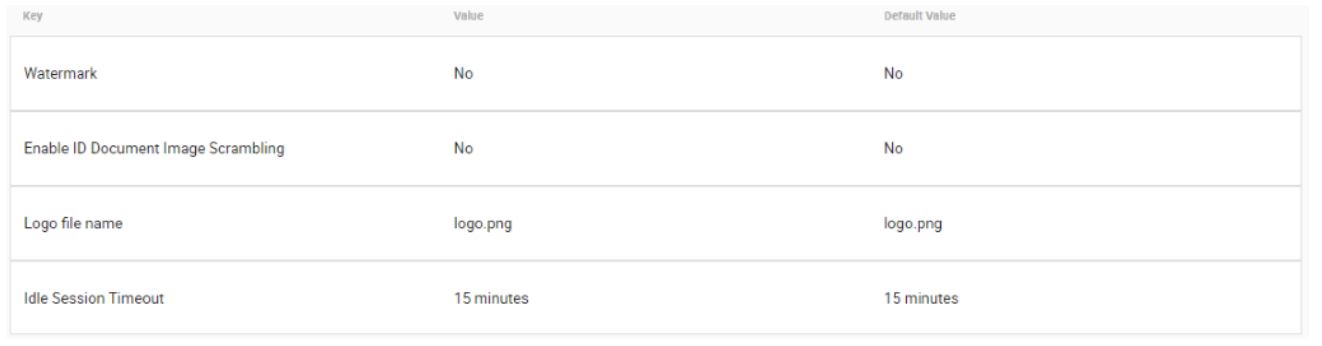
Click for a larger view
Watermark – This can be set to either ‘Yes’ or ‘No’. When enabled, a watermark is applied to certain documents, in keeping with certain regulatory requirements.

Click for a larger view
Enable ID Document Image Scrambling – As with Watermarking above, this can be set to either ‘Yes’ or ‘No’. When enabled, Image Scrambling is applied to certain documents, in keeping with certain regulatory requirements.

Click for a larger view
Logo file name – This section allows you to define a specific file name for your company’s corporate logo. As part of the available customization options, your company Logo can replace the GBG | IDscan logo. Please consult with your Professional Services consultant to arrange this feature.

Click for a larger view
Idle Session Timeout – This configuration allows Administrators to determine how long (in minutes) a session in IEOS remains open. Once this time period has elapsed, and there has been no activity from the user, the system will log the current user out and present the Logon Screen once again.

Click for a larger view